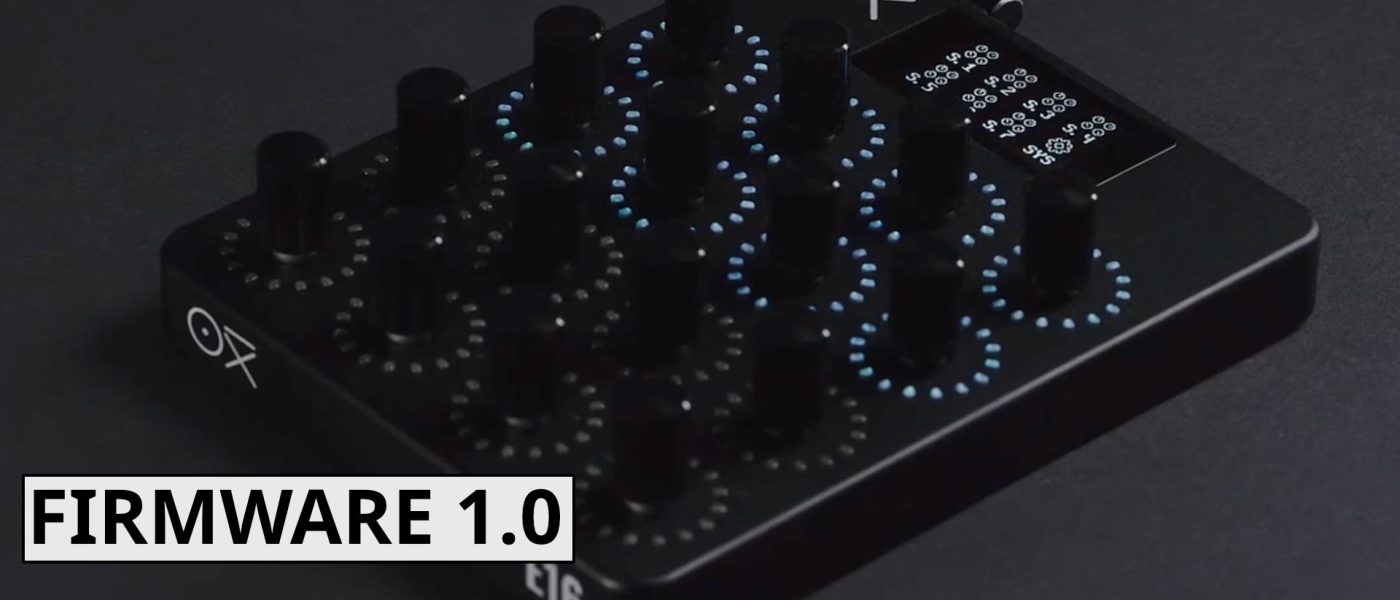
TL;DR: Oxi Instruments has pushed firmware 1.0 for its E16 performance MIDI controller, bringing an eight-minute MIDI parameter looper, Lua scripting API, and deeper performance integrations. The 16-encoder aluminum unibody controller now ships at $499/449€, making it a serious contender for anyone who wants more than a glorified knob box.
- Firmware 1.0 adds a multi-track MIDI parameter looper with up to 60 seconds per track and three sync modes (no sync, free sync, fixed sync).
- Lua scripting API 1.0.0 with SysEx communication enables deep customization, including custom SysEx editors.
- Groups, random actions, snapshot morph, and group masters can now be modulated, recorded, and saved per preset.
- Hardware features 16 metal endless encoders with LED rings, OLED screen, dual USB-C, 3.5mm TRS MIDI, and Bluetooth MIDI.
- Available now for $499/449€, competing with the Novation LaunchControl XL mk3 but offering significantly more performance-oriented features.
Reading time: 5 min
Want more synth news before your next coffee break? Join the Noxal newsletter — no spam, just gear worth knowing about.

What is the Oxi E16?
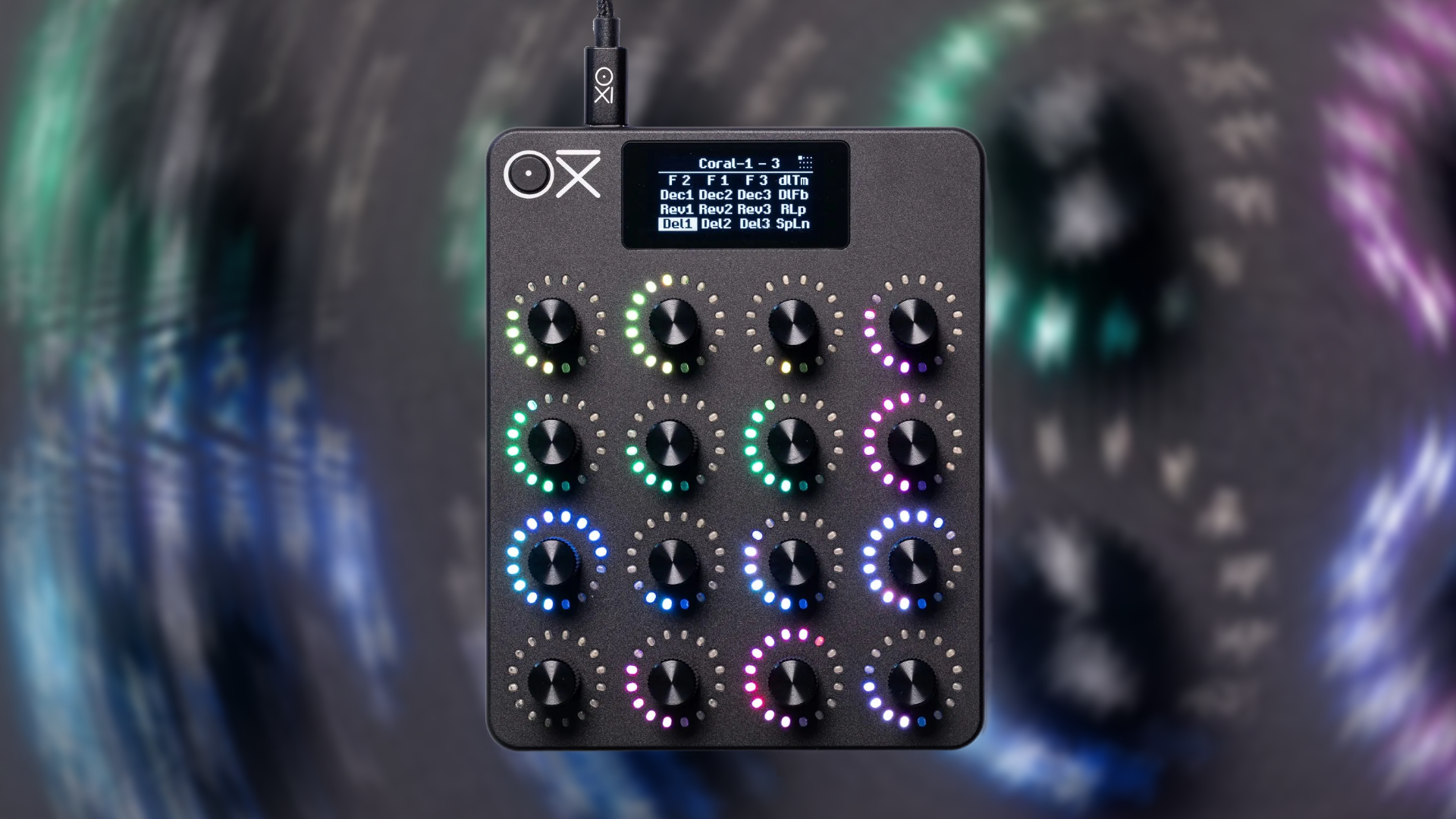
Let’s be honest: the MIDI controller market has been coasting for years. You get faders, pads, or a keyboard — or some combination of the three — and you’re expected to be grateful. Oxi Instruments, the folks behind the excellent Oxi One sequencer, decided that wasn’t good enough. The E16 is their answer: a sleek, aluminum unibody controller with 16 metal endless encoders, each ringed with an LED, plus an OLED screen for real-time feedback. It measures 114 x 143 x 36 mm and weighs a featherlight 370 grams, making it equally at home in a studio rack or a backpack for a live gig.
But the hardware is only half the story. The E16 is built around 16 flexible scenes, each with 12 customizable pages and 16 controls per page — that’s 192 mappable MIDI CC controls per scene. You can map these directly on the hardware or use the companion software editor. Each scene also has 16 preset slots, so you can snap back to specific parameter values instantly. Dedicated instrument mappings are available from Oxi, but you can also roll your own. And crucially, each control can map to a different instrument, effect, or performance mode, meaning one scene can wrangle multiple pieces of hardware simultaneously. If you have a groovebox with multiple tracks, you can dedicate several pages to a single track, renaming them for clarity. No more menu-diving mid-set.
Firmware 1.0: The Parameter Looper and Scripting
Since shipping in January, the E16 has been waiting for its firmware to catch up. That day has arrived. Firmware 1.0 is a free update, and it’s a doozy. The headline feature is a MIDI parameter looper that gives you eight minutes of shared recording memory across 16 tracks, with up to 60 seconds available per track. You get three sync modes: no sync (free-running), free sync (automatic length), and fixed sync (count-in with predefined length). Individual tracks inherit the recording mode and settings set before recording, and you can mix them within the same session. This is not just a gimmick — it transforms the E16 into a powerful modulation generator, letting you record and replay knob automations that breathe life into static sequences.
Then there’s the Lua scripting API (version 1.0.0) with SysEx communication. This is for the tinkerers among us. You can implement unusual control concepts, create custom SysEx editors, and generally bend the E16 to your will. If you’ve ever wanted a controller that speaks your gear’s secret language, this is your chance. It’s a level of openness we rarely see in hardware controllers, and it makes the E16 a future-proof investment for those who like to dig deep.
Performance Features and User Experience
Firmware 1.0 also tightens the integration of existing performance features. Groups and random action data are now saved to current presets, which means you can build complex modulation setups and recall them reliably. Snapshot morph and group masters can be modulated by random sources and recorded — essentially, you can now automate the morphing between two page states, creating dynamic transitions that evolve over time. The snapshot function itself lets you morph between two page states effortlessly, ideal for exploring in-between timbres or building tension in a track.
The user interface gets a facelift, too: a colorful Alt and Home menu, and a customizable Page menu for handling program-switching commands. Smaller refinements include copy & paste scenes between slots, new LED ring animations, and general polish. These aren’t earth-shattering, but they add up to a more fluid experience. You can tell Oxi Instruments actually uses this thing in anger — these are the kind of tweaks that come from real-world performance feedback.
Connectivity, Specs, and Market Context
On the I/O front, the E16 is well-equipped: dual USB-C ports (one for power, one for MIDI data), a 3.5mm TRS MIDI interface with dual MIDI outs and a MIDI in, and Bluetooth MIDI support. It supports MIDI CC, NRPN, 14-bit control, and relative/absolute parameter values. The companion app lets you create, organize, and share scenes and pages, plus save backups. It’s a complete ecosystem.
How does it stack up against the competition? The Novation LaunchControl XL mk3 is the obvious comparison — it’s a solid encoder-based controller at a lower price point. But the E16 is a different animal. It’s built for performance, not just static mixing. The parameter looper, Lua scripting, snapshot morphing, and deep grouping make it a tool for live expression, not just a glorified remote. At $499/449€, it’s not cheap, but for anyone who’s felt constrained by conventional controllers, it’s worth every penny.
Frequently Asked Questions
Is the Oxi E16 compatible with DAWs?
Yes. The E16 sends standard MIDI CC, NRPN, and 14-bit control messages over USB or traditional MIDI, so it works with any DAW that supports MIDI mapping. The companion editor app also helps you organize scenes and pages for different software setups.
Can I use the E16 without the companion app?
Absolutely. All mapping and configuration can be done directly on the hardware using the OLED screen and encoders. The app is useful for backup, sharing, and more complex setups, but it’s not required for daily use.
Does the parameter looper support polyphonic or multi-track recording?
The looper has eight minutes of shared memory across 16 tracks, with up to 60 seconds per track. You can record on multiple tracks simultaneously or sequentially, and each track inherits the recording mode set before recording. You can mix sync modes across tracks as well.
I’ll be honest: I’ve spent more time this week tweaking LED ring animations than actually making music. But that’s the kind of distraction I can get behind — especially with a fresh pour-over in hand.