
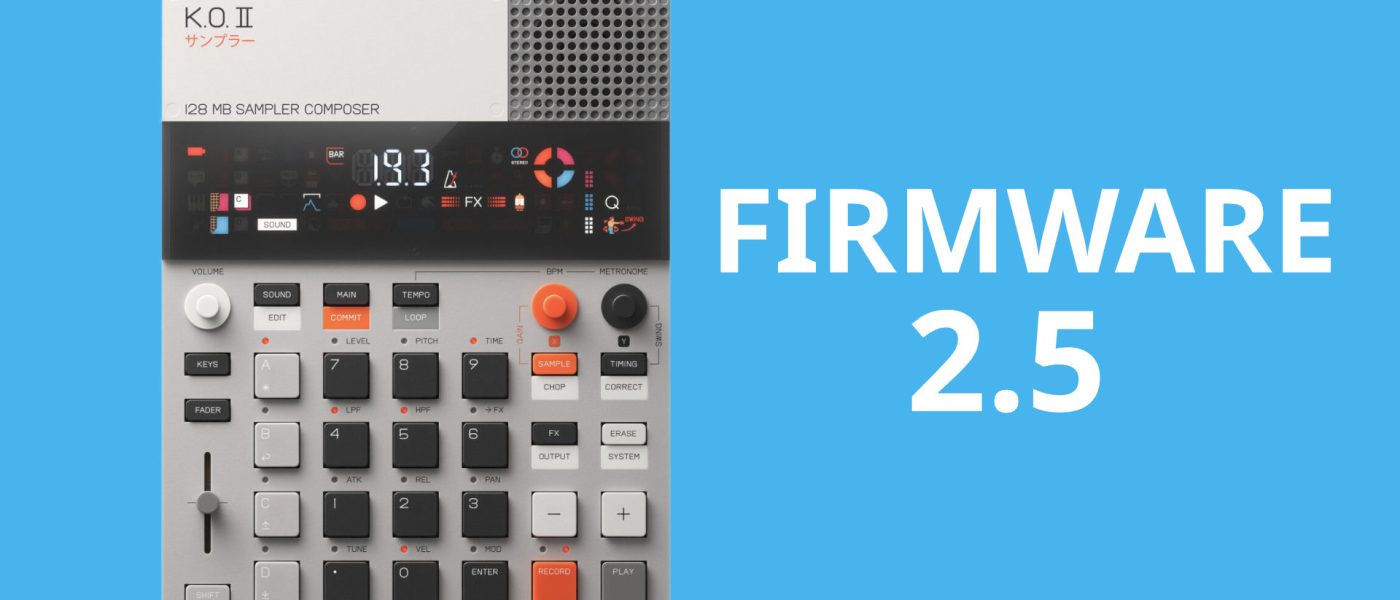
TL;DR: Teenage Engineering has released firmware 2.5 for the EP-133 K.O. II, adding USB audio in/out, sample reverse, an arpeggiator, and longer mono recording up to 40 seconds. The update also introduces sample rate reduction, auto-chop slicing, and improved time-stretching, making the compact sampler significantly more versatile.
- USB audio now allows stereo in/out via any class-compliant host (phone, tablet, computer) for direct sampling and DAW recording.
- Sample reverse, arpeggiator (one-shot/legato), and sample rate options (26kHz lofi, 32kHz mid, 46.875kHz hi) expand creative possibilities.
- Mono samples can now reach 40 seconds, enabling longer atmospheres and textures despite limited onboard storage.
- Auto-chop slicing and per-pad pattern copy/paste improve workflow, along with improved time-stretching from the EP-1320.
- It’s a free update for existing users, available now – and it’s the kind of major feature drop that makes us wonder if TE ever sleeps.
Reading time: 4 min
Want more synth news before your next coffee break? Join the Noxal newsletter — no spam, just gear worth knowing about.

USB Audio: The Gateway Drug

Let’s be honest: the EP-133 K.O. II has always felt like a slightly undernourished genius. It’s clever, compact, and sounds great, but its connectivity was a bit like having a phone with no headphone jack – frustrating until you find the right dongle. With firmware 2.5, Teenage Engineering has essentially handed us that dongle and said, “Here, now go wild.”
The headline feature is USB audio in and out, working with any class-compliant host. That means you can plug the K.O. II into an iPad, a laptop, or even a phone (if you’re brave enough to juggle cables on the train) and sample directly from apps. Want to grab a bassline from a YouTube tutorial or a snare from a synth app? Done. You can also record your beats straight into your DAW via USB, bypassing the need for an audio interface. It’s the kind of feature that should’ve been there from day one, but we’re not ones to hold grudges – especially when it works this seamlessly.
For me, the USB audio is a game-changer. I’ve spent more time than I care to admit trying to line up my phone’s headphone jack with the K.O.’s input while balancing a coffee. Now, it’s just one cable. It’s almost too easy. Almost.
Sound Shaping: Reverse, Rate, and Arpeggiation
Firmware 2.5 doesn’t just add connectivity; it adds actual creative tools. Sample reverse is here, and it’s exactly as fun as you’d expect. Flipping a vocal snippet or a drum hit backwards can transform a stale loop into something sinister or ethereal. It’s a simple trick, but one that’s been sorely missed on the K.O. II.
Then there’s the sample rate reduction. You now have three quality levels: LO (26,250 Hz) for that gloriously crunchy lofi sound, MID (32 kHz) for a touch of character, and HI (46,875 Hz) for the cleanest possible recording. This isn’t just a gimmick – lowering the sample rate saves storage space, and when your device has less onboard memory than a 2010 iPod, every kilobyte counts. It’s a clever workaround that lets you choose between fidelity and capacity.
And yes, there’s an arpeggiator. You can arpeggiate samples in one-shot or legato mode, which opens up melodic possibilities that were previously relegated to external sequencers. The keys mode has also been improved, making it easier to play samples chromatically. It’s not a full-blown synth engine, but for a sampler, it’s a welcome addition that turns the K.O. II into a surprisingly capable instrument for leads and basslines.
Sampling Flexibility: Longer, Cleaner, Sliced
Storage has always been the K.O. II’s Achilles’ heel. Even in its second iteration, the device’s capacity is, to put it charitably, “criminally small.” By comparison, the Akai MPC Sample packs 8GB of onboard storage. TE’s solution isn’t to give you more space, but to let you use it more efficiently.
With firmware 2.5, you can now record mono samples up to 40 seconds long. That’s a massive jump from the previous limits, and it means you can capture full atmospheres, field recordings, or entire ambient pads. You’ll need to switch the sample type to mono, which sacrifices stereo width, but for many applications – especially textures and drones – it’s a worthwhile trade-off.
The new auto-chop function is another workflow booster. It slices samples into equal divisions, perfect for breaking up a vocal phrase or a breakbeat without manually setting markers. Combined with per-pad pattern copy/paste and fader automation erase, the sequencer feels more mature. And let’s not forget the improved time-stretching algorithm borrowed from the EP-1320. Heavily stretched samples now sound cleaner, without the dreaded doubling or skipping that plagued earlier firmware. It’s the kind of polish that makes the K.O. II feel like a serious production tool rather than a toy.
Market Context: TE vs. Akai and the Storage Elephant
It’s impossible to discuss this update without mentioning the elephant in the room – or rather, the 8GB elephant named Akai MPC Sample. When Akai dropped their compact sampler, it was a direct shot at TE’s lunch. The MPC Sample offered more storage, a similar form factor, and a lower price point. TE’s response with firmware 2.5 is a masterclass in playing to their strengths.
Instead of trying to match Akai’s storage, TE doubled down on sound design and connectivity. USB audio, sample rate reduction, and improved time-stretching are features that the MPC Sample doesn’t have, at least not in the same integrated way. The arpeggiator and auto-chop are also unique selling points. TE is betting that users care more about creative workflow than raw capacity, and for many of us, they’re right. I’d rather have 40 seconds of a beautifully stretched pad than 8GB of samples I never use.
That said, the storage limitation is still a real inconvenience. If you’re a sample hoarder – and let’s be honest, most of us are – you’ll still hit the wall quickly. But firmware 2.5 feels like TE acknowledging the problem and offering clever workarounds rather than a hardware revision. It’s not a perfect solution, but it’s a thoughtful one.
Who Is This Update For?
Firmware 2.5 is for anyone who already owns an EP-133 K.O. II and has been waiting for it to reach its full potential. If you’ve been frustrated by the lack of USB audio, the short sample times, or the limited sound-shaping options, this update addresses all of those pain points. It’s also a compelling reason for fence-sitters to finally pull the trigger, especially if you value portability and immediacy over sheer storage.
For beatmakers, producers, and live performers who want a compact sampler that can double as a sketchpad and a performance tool, the K.O. II with firmware 2.5 is now a much stronger contender. It won’t replace your MPC One or your Digitakt, but it might just become the device you reach for when you’re on the couch with a coffee and an idea.
Frequently Asked Questions
Does firmware 2.5 increase the onboard storage of the EP-133 K.O. II?
No, the physical storage remains the same. However, the ability to record mono samples up to 40 seconds and the sample rate reduction options (LO, MID, HI) let you use the available space more efficiently. You can now choose between longer recordings and lower quality, giving you more flexibility within the same storage constraints.
Can I use USB audio with a phone or tablet?
Yes, the USB audio feature works with any class-compliant USB host, including smartphones and tablets. This means you can sample directly from apps on your iPad or record your K.O. II beats into a DAW on your laptop without an additional audio interface. Just connect via USB and you’re good to go.
Is the arpeggiator limited to specific sample types?
The arpeggiator works with samples in both one-shot and legato modes. You can arpeggiate any sample you’ve loaded, including melodic samples, drum hits, or vocal chops. The improved keys mode also makes it easier to play samples chromatically, so you can use the arpeggiator to create complex patterns from simple source material.
I’m going to need a bigger coffee mug to get through all these new features – and probably a second USB cable for the inevitable “wait, which device is this connected to?” moment. Cheers, TE.