
TL;DR: Akai Professional has released MPC 3.9, a massive free update that adds wavetable, FM, and virtual analog oscillators to standalone MPC units and Force for the first time. The update also brings a refreshed Arrange Mode with touch-based editing, project transfer between MPC and MPC Sample, and Q-Link integration with MPCe pads. This is not a minor bug fix — it fundamentally expands the sonic capabilities of the entire MPC ecosystem.
- Drum and Keygroup tracks can now use wavetable, FM, ring modulation, single-cycle, and virtual analog oscillators instead of samples.
- Arrange Mode gets touch-based editing tools including cut, copy, paste, duplicate, insert blank bars, and insert clip rows via the Loop Brace.
- Projects can now be transferred back and forth between MPC standalone/desktop and MPC Sample, with effects also appearing across both platforms.
- Q-Link integration with MPCe pads adds deeper hardware control for modulation and performance.
- MPC Software is available as an AU or VST3 plugin (still in beta) inside your DAW.
Reading time: 8 min
Want more synth news before your next coffee break? Join the Noxal newsletter — no spam, just gear worth knowing about.

Oscillators Arrive: The Big News
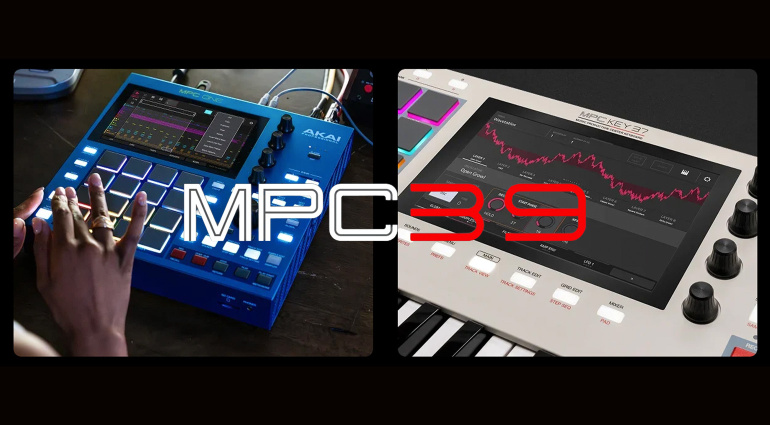
Let’s start with the headline because it deserves it: MPC 3.9 introduces wavetable, FM, ring modulation, single-cycle, and virtual analog oscillators to Drum and Keygroup tracks. This is not a minor addition. For years, the MPC has been a sample-centric beast — a brilliant one, but one that lived and died by your sample library. Now, you can build sounds from the ground up with synthesis engines that would feel right at home on a dedicated hardware synth.
The wavetable oscillator alone is a big deal. It opens up evolving, morphing textures that were previously impossible without external gear or heavy sample editing. FM adds that brittle, metallic edge beloved by fans of 80s digital and modern experimental production. Virtual analog gives you the warmth and immediacy of subtractive synthesis. Single-cycle waveforms are the bread and butter for classic synth bass and lead sounds. Ring modulation? That’s for people who want their pads to sound like they’re arguing with themselves. I approve.
This is not a gimmick. These oscillators integrate directly into the MPC’s existing workflow — you can layer them with samples, route them through the same effects and modulation matrix, and sequence them with the same step sequencer and grid. It’s a genuine expansion of the instrument’s core identity, not a feature checkbox.
Arrange Mode Gets a Touch-Up
The Arrange Mode has been given a serious refresh. The new touch-based editing tools let you work directly from the Loop Brace — cut, copy, paste, duplicate, insert blank bars, and insert clip rows all with your finger. If you’ve ever tried to rearrange a track on an MPC by poking at tiny menus with a stylus while your coffee gets cold, you understand why this matters.
This is workflow optimisation done right. The touch editing is responsive and logical, reducing the number of steps between having an idea and executing it. It’s the kind of update that doesn’t make the front page of synth blogs but will save you hours over a year of production. We at Noxal appreciate the small kindnesses, especially when they come without a price tag.
The Arrange Mode refresh also ties into the broader MPC ecosystem philosophy. The MPC has always been a hardware sequencer first and a sound source second. Making arrangement faster and more tactile reinforces that core strength. You don’t need to export stems to a DAW to build a song structure anymore — you can do it on the box, on the couch, with your feet up.
The MPC Sample Bridge
Another significant addition is the ability to transfer projects between MPC and MPC Sample. If you own an MPC Sample (the standalone sampler unit) and another MPC device, you can now load MPC Sample projects directly into your standalone or desktop MPC, and export tracks from MPC Live, One, X, XL, and Key series back to MPC Sample.
This is a feature that sounds niche until you realise how many people own multiple MPCs or have a friend with an MPC Sample. It effectively turns the entire MPC family into a more cohesive ecosystem. MPC Sample effects now appear in MPC as well, which means that sound design you did on the smaller unit can be carried over to the big rig without re-creating everything from scratch.
It’s not the flashiest update, but it’s the kind of interoperability that makes hardware ecosystems worth investing in. Akai is clearly thinking about the long game here — keeping users inside the MPC world rather than forcing them to export and re-import through a DAW.
Ecosystem Deepening and What It Means
MPC 3.9 also includes Q-Link integration with MPCe pads, which adds more hardware control for modulation and performance. Combined with the new oscillators, this turns the MPC into a more expressive instrument. You can now assign Q-Link knobs to wavetable position, FM amount, or filter cutoff and perform in real time. That’s not just a synthesizer feature — that’s a performance feature.
And let’s not forget that MPC Software is now available as an AU or VST3 plugin inside your DAW. It’s still in beta, but the implications are clear: Akai wants the MPC to be the centre of your studio, whether you’re working in hardware, software, or both. This is a company that understands that modern producers don’t live in one world. They bounce between standalone and DAW, between hardware and plugin, between sample and synth. MPC 3.9 bridges those gaps without making you choose sides.
For context, this update follows the MPC 3.7 update that enhanced MPCe Pad control, added Q-Link XY modes and advanced modulation routing, and upgraded the Step Sequencer. And before that, MPC 3.6 introduced project time signatures, the Drum Articulation Engine, a 32-cell modulation matrix for drum tracks, and Layer Play Offset. Akai is on a roll, and they’re not charging for any of it.
Who This Update Is For
This update is for anyone who owns a standalone MPC unit or Force. That’s the short answer. The longer answer is that it’s for producers who have been waiting for the MPC to become a proper synthesis platform. If you’ve been using your MPC as a glorified sample player, you’re about to discover a whole new instrument. If you’ve been building sound libraries for years, you can now augment them with synthesis without reaching for another box.
It’s also for the MPC Sample owners who felt left out of the synthesis party. Now you can take your projects into the bigger MPCs and add oscillators there. It’s for the live performers who want to tweak parameters on the fly. It’s for the studio producers who want to stay in hardware as long as possible before bouncing to a DAW.
The MPC 3.9 update is free and compatible with all standalone MPC units and Force. Download it at the MPC 3 site. If you haven’t updated in a while, this is the one. Your MPC just became a different instrument.
Frequently Asked Questions
Is the MPC 3.9 update free?
Yes, MPC 3.9 is a free update for all standalone MPC units and Force. You can download it from the MPC 3 firmware download site. There is no additional purchase required.
Which MPC models are compatible with the new oscillators?
The new wavetable, FM, ring modulation, single-cycle, and virtual analog oscillators are available on all standalone MPC units and Force running MPC 3.9. This includes MPC Live, One, X, XL, Key series, and Force. Legacy models that cannot run MPC 3.0 are not supported.
Can I use the MPC Software plugin inside my DAW?
Yes, MPC Software is now available as an AU or VST3 plugin. It is still in beta, but it allows you to run the MPC operating system inside your DAW as a plugin. This is separate from the standalone hardware update but complements it well.
I’m going to need a larger mug of coffee to process all these oscillators. At least the Arrange Mode touch editing means I can rearrange a track without spilling it.