
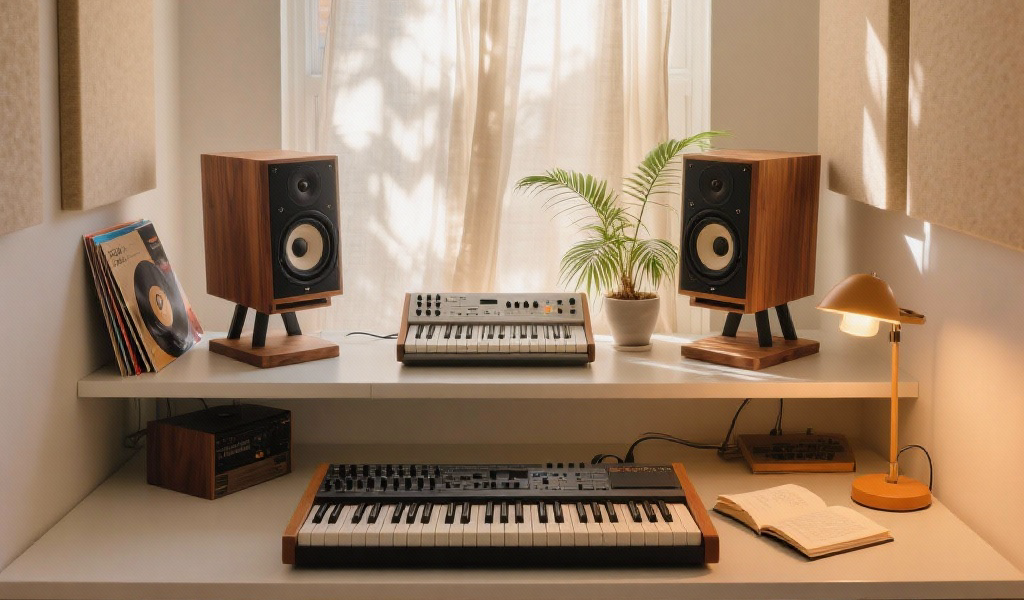
Unlocking the potential of synthesizers in music production can be a thrilling experience. This tutorial provides an accessible guide to understanding synth components, integrating them into your workflow, and crafting key sounds. Whether you’re just starting or looking to enhance your skills, this guide is packed with insights from exploring the world of synthesis.
Key Takeaways
- Learn the fundamental components of synthesis including oscillators, filters, and envelopes.
- Explore the differences between software and hardware synths to find your preferred instrument.
- Integrate synths into your DAW workflow for enhanced music production.
- Experiment with sound design techniques to create unique textures and sounds.
- Connect the art of synthesis to the broader cultural landscape of electronic music.
Estimated Reading Time
Approximately 10 minutes
Join Our Community
Join our newsletter for more tutorials, insights, and updates on electronic music production!
Table of Contents
- Demystifying Synthesis: Your Step-by-Step Synth Usage Tutorial in Music Production
- Step 1: Understanding the Building Blocks of Synthesis
- Step 2: Choosing Your Weapon – Hardware vs. Software Synths
- Step 3: Integrating Synths into Your DAW Workflow
- Step 4: Crafting Essential Sounds – A Hands-On Approach
- Step 5: Advanced Techniques & Experimentation
- Beyond the Knobs: Connecting Synths to Culture and Creativity
- Your Sonic Journey Has Just Begun
- FAQ
Demystifying Synthesis: Your Step-by-Step Synth Usage Tutorial in Music Production
The journey into synthesis can feel overwhelming at first, a labyrinth of oscillators, filters, and envelopes. But truly, it’s a logical process, a series of creative decisions that, when understood, unlock an infinite palette of sounds. Think of it like cooking: you start with basic ingredients, learn their properties, and then combine them in unique ways to create a masterpiece.
Step 1: Understanding the Building Blocks of Synthesis
Before we can build intricate soundscapes, we need to grasp the fundamental components that make up virtually every synthesizer, whether it’s a monstrous modular rack or a simple VST. These are the building blocks of synthesis, and mastering them is the first crucial step in any synth usage tutorial in music production.
- Oscillators (OSCs): The Sound Source
- What they do: Oscillators generate the raw sound waves. They are the heart of your synth.
- Key Waveforms:
- Sine Wave: The purest, most fundamental sound. No harmonics.
- Triangle Wave: Brighter than a sine, softer than a saw.
- Sawtooth Wave: Rich in harmonics, very bright and buzzy. The go-to for leads and pads.
- Square/Pulse Wave: Distinctive hollow, reedy sound, rich in odd harmonics.
- Noise: Random, unpitched sound essential for percussive elements.
- Studio Tip: When starting out with sound design, begin with a single oscillator.
- Filters (VCF): Shaping the Tone
- What they do: Filters remove or boost specific frequencies.
- Key Controls:
- Cutoff: The most important control for shaping sound.
- Resonance (Q): Boosts the frequencies right at the cutoff point.
- Types:
- Low-Pass Filter (LPF): Cuts off highs, allowing lows to pass through.
- High-Pass Filter (HPF): Cuts off lows, allowing highs to pass through.
- Band-Pass Filter (BPF): Cuts off both lows and highs, allowing a specific band of frequencies.
- Amplifiers (VCA): Controlling Volume
- What they do: The VCA controls the overall volume of your sound.
- Envelope Generators (ADSR): Dynamic Movement
- What they do: Envelopes dictate how a sound’s parameter changes over time.
- ADSR:
- A (Attack): Time to reach peak volume.
- D (Decay): Time to fall to sustain level.
- S (Sustain): Level held as long as the key is pressed.
- R (Release): Time to fade to silence.
- Low-Frequency Oscillators (LFOs): Adding Motion
- What they do: LFOs modulate other parameters of the synth.
- Typical Destinations: Pitch, Filter Cutoff, Volume.
- Studio Tip: Start with subtle LFO modulation.
Step 2: Choosing Your Weapon – Hardware vs. Software Synths
With the basics covered, the next decision is about your preferred instrument. The modern landscape offers an incredible array of choices.
- Software Synths (VSTs/AUs): The Digital Frontier
- Pros:
- Cost-effective: Many excellent soft synths are free or cheaper than hardware.
- Variety: A single DAW can host hundreds of different synth engines.
- Convenience: Integrates easily into your DAW with no extra cables.
- Polyphony: Often virtually unlimited.
- Cons:
- Less Tactile: May feel less engaging without physical controls.
- CPU Intensive: Complex VSTs can strain your computer’s processor.
- Pros:
- Hardware Synths: The Tangible Experience
- Pros:
- Tactile Workflow: Physical controls offer immediate experiences.
- Unique Sound: Many hardware synths have distinct character.
- Reliability: Less prone to glitches.
- Cons:
- Cost: Generally more expensive.
- Space & Setup: Requires physical space and setup.
- Pros:
- Modular Synths: The Ultimate Tinkering Ground
- What they do: Modular systems consist of individual modules that you patch together.
- Pros: Infinite possibilities, unique sounds, and incredible learning tools.
- Cons: Very expensive and have a steep learning curve.
Step 3: Integrating Synths into Your DAW Workflow
Now that you understand the core components and have chosen your instruments, let’s talk about getting them to play nice with your Digital Audio Workstation (DAW).
- MIDI Setup:
- For Software Synths: Load your VST/AU on a MIDI track.
- For Hardware Synths: Connect a MIDI controller to your hardware synth’s MIDI In port.
- Studio Tip: Learn to program MIDI clips in your DAW.
- Audio Routing:
- For Software Synths: Their audio output routes automatically within your DAW.
- For Hardware Synths: Connect the audio outputs to your audio interface.
- Automation:
Record or draw in changes to any parameter over the course of your track.
Step 4: Crafting Essential Sounds – A Hands-On Approach
Now for the fun part: making sounds! This section covers building cornerstone sounds for your productions.
Punchy Basslines
- Oscillators: Start with one or two sawtooth or square waves.
- Envelope: Short attack for immediate punch, quick release to prevent muddiness.
- Filter: Low-pass filter with cutoff around 100-300Hz.
- Effects: Apply compression and light distortion for character.
Soaring Leads
- Oscillators: Use two or three sawtooth or square waves and heavily detune them.
- Envelope: Gentle rise, longer decay, and sustain for a rich tail.
- Filter: Low-pass filter modulated for movement.
Ethereal Pads
- Oscillators: Multiple detuned waves for a rich, ambient sound.
- Envelope: Long attack and release for sweeping ambient textures.
Rhythmic Arpeggios
- What they do: Arpeggiators play notes of a chord in sequence.
- Synth Setup: Utilize plucky sounds with short attacks.
Step 5: Advanced Techniques & Experimentation
You’ve built the foundations. Now, let’s push the boundaries and truly encourage experimenting with what was learned.
- Layering Synths: Combine multiple synths to create complexity.
- External Effects Processing: Use external gear for unique textures.
- Creative Automation: Push parameters beyond basic controls.
- Sampling Synths: Record patches into samplers for new instruments.
Beyond the Knobs: Connecting Synths to Culture and Creativity
This tutorial isn’t just about technical skills; it’s about joining a vibrant culture. Synths have shaped modern music from the pioneering work of Kraftwerk to the intricate sound design of modern producers.
Your Sonic Journey Has Just Begun
We hope this tutorial has given you a solid foundation and inspired you to dive deeper into sound design. Remember, mastering synthesis is a journey, not a destination.
FAQ
What is synthesis?
Synthesis is the process of creating sounds using electronic instruments like synthesizers.
What are oscillators?
Oscillators are the sound source in a synthesizer, generating raw sound waves.
What is the difference between hardware and software synths?
Hardware synths are physical devices, while software synths are virtual instruments that run on computers.
What is a DAW?
A Digital Audio Workstation (DAW) is software used for recording, editing, and producing audio files.
Farewell
As you dive into the world of synths, remember: if at first you don’t make a hit, just keep tweaking those knobs! You’ve got this; just don’t call your neighbors when you start experimenting with the “noise” setting!