
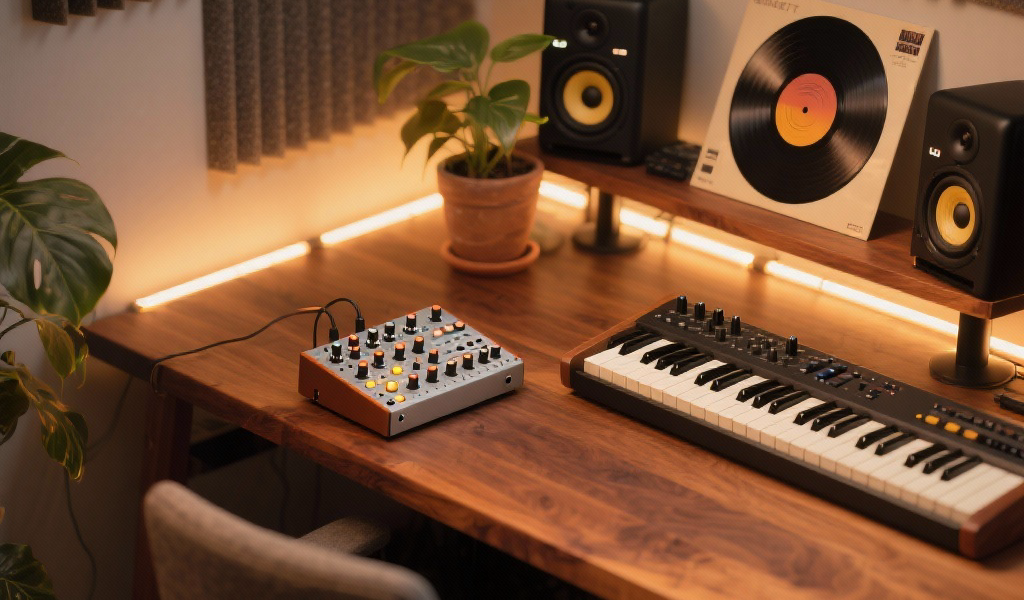
Summary: Dive into the magic of building your first sound from scratch in music production. Discover the importance of understanding synthesis, gain hands-on experience, and transform your approach to sound design. This post will empower you to create unique sonic textures while developing your signature sound in the world of electronic music production.
Key Takeaways:
- Building sounds from scratch enhances true understanding and creativity.
- Learn the fundamental components of synthesis: oscillators, filters, envelopes, and LFOs.
- Gain confidence and develop your unique sound by crafting original patches.
- Explore hands-on exercises to implement your sound design knowledge in your DAW.
- Engage with the community and continuous learning for growth in music production.
Estimated Reading Time: 8 minutes
Call to Action: Join our newsletter to stay updated with the latest in sound design and production tips!
Table of Contents:
The Genesis of Sound: Why Building From Scratch Matters
Deconstructing Sound: The Building Blocks of Synthesis
Your First Sonic Canvas: An Interactive Exercise in Your DAW
Beyond the Basics: What’s Next on Your Sonic Journey?
Noxal’s Perspective: Our Shared Sonic Journey
Conclusion: Embrace the Silence, Create the Sound
FAQ Section
The Genesis of Sound: Why Building From Scratch Matters
Deconstructing Sound: The Building Blocks of Synthesis
Your First Sonic Canvas: An Interactive Exercise in Your DAW
Beyond the Basics: What’s Next on Your Sonic Journey?
Noxal’s Perspective: Our Shared Sonic Journey
Conclusion: Embrace the Silence, Create the Sound
FAQ Section
The Genesis of Sound: Why Building From Scratch Matters
Why bother building sounds from scratch when thousands of incredible presets are just a click away? It’s a valid question that cuts to the core of sonic creativity. For us at Noxal, it’s about much more than just avoiding presets.
- True Understanding: Relying solely on presets is like always reading a translated book. Building from scratch forces you to understand why a sound sounds the way it does.
- Uniqueness and Signature Sound: When you design your own sounds, you inject your unique artistic fingerprint into your music. This is how you develop a signature sound.
- Problem-Solving and Adaptability: If you understand the fundamentals of synthesis, you won’t be stuck scrolling through other presets.
- Empowerment and Confidence: There’s an immense sense of satisfaction from creating a patch from an initialized state that fits the track in your head.
Deconstructing Sound: The Building Blocks of Synthesis
Most synthesizers, whether they’re complex modular synthesis rigs or simple subtractive synthesis VSTs, share a common architecture. Here are the fundamental components you’ll manipulate to start building your first sound from scratch.
1. Oscillators: The Voice of Your Synth (Sound Source)
The oscillator generates a continuous waveform; this is the raw material, the heart of your sound.
- Common Waveforms:
- Sine Wave: The purest sound, smooth and mellow.
- Triangle Wave: Brighter than a sine, softer than a saw.
- Sawtooth Wave: Rich in harmonics, excellent for leads.
- Square Wave: Hollow and reedy with digital character.
- Noise: Useful for percussive elements and textures.
Studio Tip: When starting your first sound from scratch, begin with a sawtooth wave.
2. Filters: The Sculptor of Timbre
The filter allows you to remove or emphasize certain frequencies, dramatically altering the timbre or character of the sound.
- Key Parameters:
- Cutoff Frequency: Determines where the filter starts to work.
- Resonance (Q): Boosts frequencies at the cutoff point.
- Common Filter Types:
- Low-Pass Filter (LPF): Cuts off highs, essential for warm sounds.
- High-Pass Filter (HPF): Cuts off lows, useful for cleaning up sounds.
- Band-Pass Filter (BPF): Passes a specific band of frequencies.
Studio Tip: Start with a low-pass filter. Set the cutoff relatively high and sweep it down while playing.
3. Amplifier & ADSR Envelope: The Dynamics and Life of Your Sound
The amplifier controls the overall volume of your sound, shaped by the ADSR envelope.
- ADSR Parameters:
- Attack: Time to reach peak volume.
- Decay: Time to drop from peak to sustain level.
- Sustain: Volume held as long as the key is pressed.
- Release: Time taken for sound to fade out.
Studio Tip: Start with a simple sawtooth wave and manipulate the envelope for different sounds.
4. LFO (Low-Frequency Oscillator): The Motion Maker
An LFO is another oscillator that operates below audible frequencies, adding movement and texture.
- Common LFO Destinations:
- Pitch: Creates vibrato.
- Filter Cutoff: Creates filter sweeps.
- Volume: Creates tremolo.
Studio Tip: Start by assigning a slow LFO to your filter cutoff for gentle movement.
5. Effects: The Polish and Character
Most synthesizers include effects that enhance your sound.
- Common Effects:
- Reverb: Adds depth and space.
- Delay: Creates echoes.
- Chorus/Flanger/Phaser: Adds modulation effects.
- Distortion/Overdrive: Adds harmonic richness.
Studio Tip: Use effects sparingly; small amounts can add incredible depth.
Your First Sonic Canvas: An Interactive Exercise in Your DAW
This is where we invite you to try these ideas in your own DAW.
Goal: Create a clean, punchy synth pluck sound.
Goal: Create a clean, punchy synth pluck sound.
Step-by-Step Guide:
- Choose Your Synth: Open a VST synth in your DAW.
- Initialize the Patch: Reset the synth.
- Starting Point: Oscillator: Set to Sawtooth Wave.
- Sculpting with the Filter: Apply Low-Pass Filter.
- Shaping the ADSR: Adjust the envelope.
- Adding Movement (LFO): Assign an LFO to modulate the filter.
- Refinement with Effects: Add subtle reverb and delay.
Congratulations! You’ve built your first unique synth sound from a blank canvas.
Beyond the Basics: What’s Next on Your Sonic Journey?
Building your first sound is just the beginning. Delve into:
Noxal’s Perspective: Our Shared Sonic Journey
At Noxal, true engagement with synthesizers means getting hands-on and understanding the how and why behind sound. The act of building your first sound is a creative awakening connected to the pioneers of electronic music.
Conclusion: Embrace the Silence, Create the Sound
Embrace the journey of building your first sound from scratch. Don’t let complexity scare you—experiment, make mistakes, and most importantly, have fun!
FAQ Section
1. What is the best synthesizer for beginners?
The best beginner synthesizer is one that feels intuitive. Software synths like Serum and free options like Synth1 are great starting points.
The best beginner synthesizer is one that feels intuitive. Software synths like Serum and free options like Synth1 are great starting points.
2. Can I create sounds without a MIDI keyboard?
Yes, you can use your computer keyboard to play notes in most DAWs, although a MIDI keyboard provides a better experience for sound creation.
Yes, you can use your computer keyboard to play notes in most DAWs, although a MIDI keyboard provides a better experience for sound creation.
3. How do I find my unique sound?
Experimentation and continuous learning will lead you to develop your sound. Don’t shy away from breaking presets and fully understanding your tools.
Experimentation and continuous learning will lead you to develop your sound. Don’t shy away from breaking presets and fully understanding your tools.
Farewell: Remember, if you hear a synth crying, it’s probably just struggling to find its voice. Time to give it some love and attention—or a new oscillator. Keep creating, and see you at the next track!