
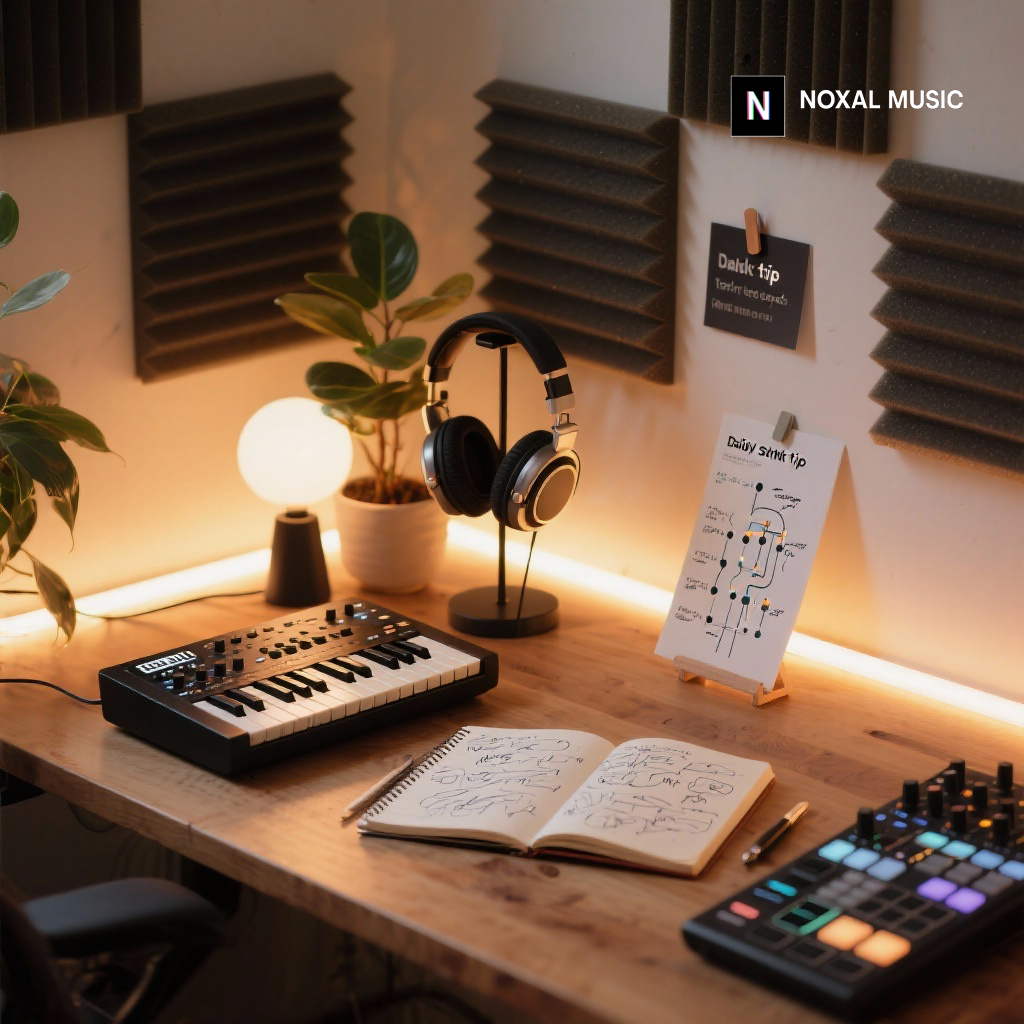
Unlock the full potential of your synthesizer in music production with this step-by-step tutorial. Discover how to set up synths efficiently, craft core sounds, and optimize your studio workflow. Enhance your creative process while breathing life into your tracks with practical tips from the Noxal team.
Key Takeaways:
- Understand the essentials of synth setup—hardware vs. software.
- Learn to create impactful core sounds: punchy bass, lush pads, and expressive leads.
- Explore ways to bring rhythmic elements into your compositions.
- Optimize your studio efficiency with sound design practices and habits.
Estimated Reading Time: 8 minutes
Join our newsletter to never miss an update from the Noxal community! Join our newsletter
Table of Contents
- The Foundation: Setting Up Your Synth for Success
- Step-by-Step Synth Usage Tutorial in Music Production: Crafting Core Sounds
- Module 1: The Anchoring Bassline – Punchy & Present
- Module 2: The Ethereal Pad – Lush & Atmospheric
- Module 3: The Cutting Lead – Expressive & Melodic
- Module 4: Rhythmic Elements & Arpeggiation – Adding Movement
- Beyond the Basics: Enhancing Studio Efficiency with Smart Synth Practices
- Connecting to Noxal: Why This Matters to Our Community
- Conclusion: Your Journey to Synth Mastery
- FAQ Section
- An Ironic and Funny Farewell
The Foundation: Setting Up Your Synth for Success
Before we even begin shaping sound, a solid foundation is key. An efficient DAW workflow starts with knowing your signal chain and understanding the relationship between your chosen synthesizer and your recording environment. Whether you’re working with a revered vintage analog synth, a modern digital hardware workstation, or a powerful VST instrument, the principles of integration are universal.
Choosing Your Weapon: Hardware vs. Software
This isn’t a debate of superiority, but rather suitability.
- Hardware synthesizers (like a classic Moog Sub Phatty, a Dave Smith Instruments Prophet, or a versatile Novation Summit) offer tactile control, often a unique sonic character (especially analog synthesis), and can inspire a different kind of interaction. Setting them up involves MIDI input (for notes from your controller or DAW) and audio output (into your audio interface).
- Software synthesizers (such as Xfer Serum, Arturia V Collection, Native Instruments Massive, or U-he Diva) are fantastic for convenience, cost-effectiveness, and often offer incredible polyphony and deep modulation possibilities. They integrate directly into your DAW as VST/AU plugins.
The Initial State: Blank Canvas or Preset Dive?
For this tutorial, and especially for efficiency in sound design, I highly recommend starting with an initial patch or a blank slate. Most synths have a “default” or “init” patch – often a single sine or saw wave with no modulation or effects. This gives you a true starting point, allowing you to build from the ground up, rather than reverse-engineering someone else’s design or getting lost in endless preset browsing. While browsing presets can be inspiring, it can also be a massive time sink. For focused synthesizer production, a blank canvas is your best friend.
Studio Tip: Create Your Own “Init” Template
Within your DAW, create a template project that includes an instrument track with your favorite VST synth loaded on an “init” patch, and maybe another track with your go-to hardware synth routed in. This small act can shave precious minutes off every new project, getting you straight into the creative flow. I personally have different templates for different genres I work on, pre-loaded with specific synths that fit the vibe, all set to their basic waveforms.
Step-by-Step Synth Usage Tutorial in Music Production: Crafting Core Sounds
Now for the hands-on part! This is where we’ll turn theoretical knowledge into practical application. We’ll build three fundamental synth sounds – a bass, a pad, and a lead – focusing on efficiency and purpose. These aren’t just exercises; they are templates for approaching any sound design task, designed to make your studio sessions more productive and less prone to creative blocks.
Invite to try these ideas in your own DAW as we go along!
Module 1: The Anchoring Bassline – Punchy & Present
A solid bassline is the backbone of almost any electronic track. It provides rhythmic drive, harmonic foundation, and often, raw power. For this exercise, we’re aiming for a classic, punchy bass that cuts through the mix without being muddy.
Objective: Create a foundational, driving bass sound suitable for house, techno, or even pop.
-
Start with the Source (Oscillators):
- Load your chosen synth (software or hardware) onto an instrument track in your DAW.
- Select an “init” patch.
- Set Oscillator 1 to a Sawtooth wave. This waveform is harmonically rich and provides a good starting point for a strong bass.
- Optionally, add Oscillator 2 and set it to a Square wave, perhaps an octave lower or at the same pitch, slightly detuned from Osc 1. This can add thickness and a bit of growl. Keep the mix between them subtle initially (e.g., 70% Saw, 30% Square).
- Try This in Your DAW: Play a simple, repetitive bassline pattern (e.g., C2, F2, G2) to hear the raw sound.
-
Shape with the Filter:
- Engage a Low-Pass Filter. This is crucial for bass sounds as it tames high frequencies and helps the bass sit well in the mix.
- Adjust the Cutoff Frequency (often labeled “Cutoff” or “Freq”). Start high and slowly sweep it down until the sound becomes darker and less aggressive, finding a sweet spot where it still has presence but isn’t overpowering. A good starting point might be around 100-300 Hz, but trust your ears.
- Introduce a small amount of Resonance (often labeled “Res” or “Q”). Resonance boosts frequencies around the cutoff point, giving the bass more character and “bite.” Be careful not to overdo it, as too much resonance can make the sound thin or whistly.
-
Dynamic Control with the Envelope (ADSR):
- Focus on the Amplitude Envelope (ADSR – Attack, Decay, Sustain, Release). This controls how the sound evolves over time.
- Attack: Set to very fast (near zero). We want the bass to hit instantly.
- Decay: Set to fast, but not instant. This controls how quickly the sound drops from its initial peak. A short decay gives a punchy feel.
- Sustain: Set to moderate to high. This controls the level the sound holds while a note is held. For a sustained bass, keep it high. For a plucky bass, set it lower.
- Release: Set to short (50-200ms). This determines how quickly the sound fades after the note is released. A short release prevents overlapping notes and keeps the bass tight.
- Studio Tip: Modulating the filter cutoff with a separate envelope (often an “Env 2” or “Filter Env”) can add immense movement. Set this envelope with a fast attack, short decay, zero sustain, and short release. Then, assign it to modulate the filter cutoff with a moderate amount. This creates that classic “plucky” filter movement often heard in house and techno basslines.
-
Add Character (Effects & Drive):
- Most synths (hardware or VST) have built-in drive or distortion. Add a small amount of Drive/Saturation to thicken the bass and add harmonics. A little goes a long way here; aim for warmth, not crunch (unless that’s your specific goal).
- Consider adding a subtle Chorus effect for width and subtle movement, or a short, tight Reverb for a sense of space, but use sparingly on bass frequencies to maintain clarity.
- Challenge: Using only one sawtooth oscillator, design a sub-bass that feels weighty and has a clear attack.
- Focus: Filter cutoff (low), minimal resonance, and a very tight ADSR for the amplitude envelope. Experiment with a touch of saturation.
- Goal: Create a bassline that provides a solid foundation without cluttering the low end.
Module 2: The Ethereal Pad – Lush & Atmospheric
Pads provide atmosphere, harmonic glue, and emotional depth. They can fill out a track, creating expansive soundscapes or subtle background textures. The key here is often slow evolution and rich layering.
Objective: Design a lush, evolving pad sound that adds warmth and ambience.
-
Start Wide (Oscillators & Unison):
- Begin with an “init” patch.
- Use multiple oscillators, ideally with slight detuning. For example, Oscillator 1 a Sawtooth, Oscillator 2 a Square or Pulse wave slightly detuned (e.g., by +5 to +15 cents), and perhaps Oscillator 3 a Sine wave an octave lower for added body.
- Engage Unison mode if your synth has it. This stacks multiple voices per note, detuning them slightly to create a massive, wide sound. Set the voices to 4-8 and experiment with the detune amount.
- Try This in Your DAW: Play sustained chords (e.g., Cmaj7, Am7) to hear the evolving texture.
-
Slow and Smooth with Envelopes:
- Amplitude Envelope (ADSR):
- Attack: Long (1-3 seconds). We want the sound to slowly fade in, creating a gentle swell.
- Decay: Full or long, as we want the sound to sustain.
- Sustain: High (near maximum). The pad should hold its level while the key is pressed.
- Release: Long (1-4 seconds). This ensures the pad fades out gracefully, preventing abrupt cuts when notes are released.
- Filter Envelope: Similar to the amplitude envelope, consider a slow attack on the filter cutoff to allow the pad to brighten gently over time.
-
Shaping the Tone (Filter & Modulation):
- Use a Low-Pass Filter to sculpt the brightness. Start with the cutoff fairly low and slowly increase it, or modulate it gently.
- Apply subtle LFO modulation (Low-Frequency Oscillator). Assign an LFO to modulate:
- Filter Cutoff: A slow, subtle wobble (sine or triangle wave) can add gentle movement.
- Pitch: Very slight, slow pitch modulation (vibrato) can make the sound more organic and less static.
- Amplitude: A very slow, subtle tremolo can add character.
- Ensure the LFO is synced to your DAW’s tempo for rhythmic precision, or free-running for a more organic feel.
-
Spatialisation and Depth (Effects):
- Reverb: Indispensable for pads. Add a generous amount of a high-quality reverb, with a long decay time (3-6 seconds). This creates the sense of vast space.
- Delay: A synchronized delay (e.g., 1/4 or 1/2 note) with moderate feedback can add interesting rhythmic echoes and further expand the sound.
- Chorus/Phaser: If your synth doesn’t have unison, or you want even more width and movement, a chorus or phaser can work wonders. This is perfect for creating that classic Vangelis-esque synth sound.
- Challenge: Create a pad that slowly fades in and out, with internal movement that isn’t too distracting.
- Focus: Long ADSR settings, multiple detuned oscillators, subtle LFO modulation on filter or pitch, and generous reverb.
- Goal: Build a rich, enveloping sound that can hold a sustained chord for several bars.
Module 3: The Cutting Lead – Expressive & Melodic
A lead synth is often the melodic voice of your track, demanding attention and expressing emotion. Whether it’s soaring, squelchy, or aggressive, it needs to cut through the mix with clarity and character.
Objective: Design an expressive, memorable lead synth sound.
-
Distinctive Foundation (Oscillators):
- Start with an “init” patch.
- Choose a waveform that suits the character you’re going for:
- Sawtooth: Bright, raw, good for aggressive leads.
- Square/Pulse: Hollow, woody, good for rhythmic or retro leads.
- Triangle: Softer, flute-like, good for gentler leads.
- Consider using two oscillators slightly detuned to add thickness (e.g., Osc 1 Saw, Osc 2 Square, slightly detuned).
- Try This in Your DAW: Play a simple melody or riff to get a feel for the raw tone.
-
Aggressive Shaping (Filter & Envelope):
- Use a Low-Pass Filter to control the brightness. For a cutting lead, you’ll likely want the cutoff higher than for a bass or pad, allowing more high frequencies through.
- Focus on the Filter Envelope (often Env 2). This is where the magic happens for expressive leads.
- Attack: Fast (near zero). We want the filter to open quickly.
- Decay: Medium-fast. This creates the “wah” or “twang” as the filter quickly sweeps down after the attack.
- Sustain: Low to medium. The amount it sustains will determine how bright the sustained portion of the note is.
- Release: Short to medium. Lets the filter close quickly.
- Adjust the Envelope Amount (or “Depth”) that the filter envelope modulates the cutoff. This controls how much the filter sweeps. This modulation, combined with the filter’s resonance, is key to an expressive lead.
-
Movement & Expressiveness (Modulation & Portamento):
- LFO to Pitch (Vibrato): A common technique for lead expressiveness. Assign a subtle LFO (sine wave) to modulate the pitch of your oscillators. A slower rate and subtle depth create a gentle human vibrato, while faster rates can create more aggressive effects.
- Portamento/Glide: This feature allows notes to slide smoothly from one to the next. Set a moderate portamento time to create those classic synth glides. This is invaluable for soulful or psychedelic lead lines.
- Mod Wheel/Aftertouch: If your controller has them, assign your mod wheel or aftertouch to control parameters like filter cutoff, vibrato depth, or even distortion amount. This allows for real-time expression.
-
Polish with Effects:
- Delay: Essential for many lead sounds. A rhythmic delay (e.g., 1/8th note, dotted 1/8th, 1/4 note) with moderate feedback can make the lead sound larger and fill gaps in the melody.
- Reverb: A medium-length reverb can add space without drowning the lead.
- Distortion/Overdrive: For aggressive leads, a touch of distortion can add grit and harmonic richness, helping it stand out.
- EQ: Crucially, use EQ to ensure your lead occupies its own frequency space. Cut any muddiness in the low-mids and boost presence in the upper-mids.
- Challenge: Create a lead that has both a sharp attack and a dynamic sweep, allowing for expressive performance with portamento.
- Focus: Distinctive waveform (saw or square), aggressive filter envelope, moderate portamento, and subtle LFO to pitch.
- Goal: Design a lead that feels alive and carries a melody effectively.
Module 4: Rhythmic Elements & Arpeggiation – Adding Movement
Synths aren’t just for sustained sounds; they excel at adding intricate rhythmic elements, textures, and driving sequences. Arpeggiators, gates, and short, percussive synth sounds can dramatically enhance the groove and complexity of your tracks.
Objective: Use your synth to create rhythmic interest and movement beyond simple melodic lines.
-
Arpeggiator Power:
- Most software and many hardware synths feature a built-in arpeggiator. Load an “init” patch or a simple, bright pluck sound (fast attack/decay, low sustain on the amplitude envelope, maybe a fast filter envelope).
- Activate the arpeggiator and choose a mode (Up, Down, Up/Down, Random).
- Set the Rate (e.g., 1/16th, 1/8th). Ensure it’s synced to your DAW’s tempo.
- Adjust the Octave Range (e.g., 2-3 octaves).
- Hold down a chord (e.g., C minor) and listen to the pattern.
- Studio Tip: Modulate the arpeggiator’s gate length, velocity, or even filter cutoff with an LFO or another envelope for evolving patterns. This prevents the arpeggio from becoming static.
- Try This in Your DAW: Experiment with different arpeggiator patterns and synth patches. A short, resonant pluck combined with an arpeggiator can create fantastic driving sequences.
-
Short, Percussive Synth Stabs:
- Design a very short, punchy synth sound. Start with a square or saw wave.
- Set both the Amplitude ADSR and Filter ADSR with very fast attacks, very fast decays, zero sustain, and short releases. This creates a sharp “pop” or “click” sound.
- Add a touch of resonance to the filter for more character.
- Sequence these stabs in your DAW, treating them like drum hits or short rhythmic accents. This is a staple of many electro and IDM tracks.
-
Gated Effects & Sidechaining:
- While not strictly a synth parameter, integrating a Gate effect after your synth in your DAW can create rhythmic chopping effects. Set the gate to open/close rhythmically (e.g., 1/16th notes).
- Sidechain Compression: This is a classic studio tip for making synth pads or basslines “pump” in time with the kick drum. Route your kick drum to the sidechain input of a compressor on your synth track. This ducks the synth’s volume every time the kick hits, creating space and enhancing the groove.
- Challenge: Create a rhythmic synth sequence using an arpeggiator and a simple pluck sound.
- Focus: Arpeggiator settings (rate, mode, octave range), and a synth patch with a very short envelope to emphasize the pluck.
- Goal: Produce a driving, rhythmic texture that can sit behind a drum beat or lead.
Beyond the Basics: Enhancing Studio Efficiency with Smart Synth Practices
These step-by-step tutorials are just the beginning. True studio efficiency comes from developing habits that streamline your creative process.
-
Save Your Custom Presets: Every time you design a sound you love, save it! Don’t just rely on your DAW’s project file. Create custom user banks within your VSTs or on your hardware. Give them descriptive names (e.g., “Punchy Bass – SawSquare,” “Atmospheric Pad – LFO Filter”). This builds your personal sound library, making it exponentially faster to recall great sounds in future projects. I’ve found that my custom presets often spark new ideas I wouldn’t have found just by scrolling factory settings.
-
Utilize MIDI Templates: Beyond instrument tracks, create MIDI regions with common chord progressions or melodic ideas you often use. When you load a new synth, drag these MIDI parts onto the track. This gives you instant musical context to test and refine your sound design, rather than spending time programming a new pattern for every sound.
-
Separate Sound Design Sessions from Composition Sessions: This is a game-changer for many producers. Dedicate specific time blocks solely to sound design. During these sessions, you’re not trying to write a track; you’re just exploring your synths, designing and saving new patches. When it’s time to compose, you’ll have a palette of fresh, custom sounds ready to inspire. This helps prevent getting bogged down in endless tweaking during the creative flow of composition.
-
Practice Active Listening and Critical Analysis: After you’ve designed a sound, listen to it in the context of your mix. Does it serve its purpose? Does it clash with other elements? Is it too bright, too dark, too resonant? Train your ears to identify common problems (e.g., mud in the low-mids, harshness in the highs) and learn how to address them quickly using your synth’s parameters and external effects like EQ and compression. The more you listen critically, the faster your music production tips will become instinctive.
-
Embrace Limitations: Sometimes, having too many options is paralyzing. Try a “one synth challenge” for a track, or limit yourself to only the basic waveforms. Working within constraints can often force you to be more creative and efficient with the tools you have.
Connecting to Noxal: Why This Matters to Our Community
At Noxal, we believe that understanding your tools intimately is the key to unlocking your full creative potential. This step-by-step synth usage tutorial in music production isn’t just about technical knowledge; it’s about fostering a deeper connection with your instruments and making your time in the studio more fulfilling. We’re passionate about sharing practical, actionable insights that empower musicians and producers at all levels to create the sounds they hear in their heads.
The world of synthesizers is vast and ever-evolving, from the intricacies of analog synthesis to the endless possibilities of digital synthesis and VST instruments. But at its core, it’s about the joy of discovery and the thrill of creation. By adopting a methodical yet flexible approach, you’re not just making sounds; you’re developing a skillset that will serve your musical journey for years to come. We’re building a community of synth enthusiasts who are curious, innovative, and always eager to learn, share, and make some noise.
Conclusion: Your Journey to Synth Mastery
Mastering synth usage in music production is an ongoing journey, but by breaking it down into manageable, step-by-step processes, you can transform intimidating sound design into an efficient and deeply rewarding part of your workflow. We’ve explored how to build foundational sounds, utilize crucial synth parameters, and integrate smart studio practices to boost your efficiency.
Remember, every knob turn, every patch cable, and every carefully crafted envelope brings you closer to realizing your unique sonic vision. Don’t be afraid to experiment, to break the rules, and most importantly, to have fun. The more you engage with your synthesizers, the more they will reveal their secrets to you, making your studio sessions not just productive, but truly inspiring.
FAQ Section
What type of synthesizer should I start with? If you’re just beginning, a software synth might be more cost-effective and easier to access. Look for user-friendly VSTs that offer good tutorials and presets to get you started.
Are hardware synths better than software synths? It really depends on personal preference. Hardware synths can provide tactile feedback and unique sounds, while software synths offer flexibility and convenience. Consider trying both to see what inspires you.
How do I make my synth sounds stand out in a mix? Use EQ to carve out space for your sounds. High-pass filters can help remove unwanted low frequencies, and subtle delays or reverbs can add space without overwhelming the mix.
Can I create complex sounds with just one oscillator? Absolutely! By modulating parameters like filter cutoff and using effects like reverb and delay, you can create rich, dynamic sounds even with a single oscillator.
An Ironic and Funny Farewell
As you embark on your synthesizer journey, remember: if you can’t get that sound you want, just turn all the knobs to their maximum and hope for the best! Who knows? You might accidentally invent the next big genre called “Accidental Noise Techno.” Remember, in the world of synths, there are no mistakes, just unexpected sonic adventures. Happy tweaking!