
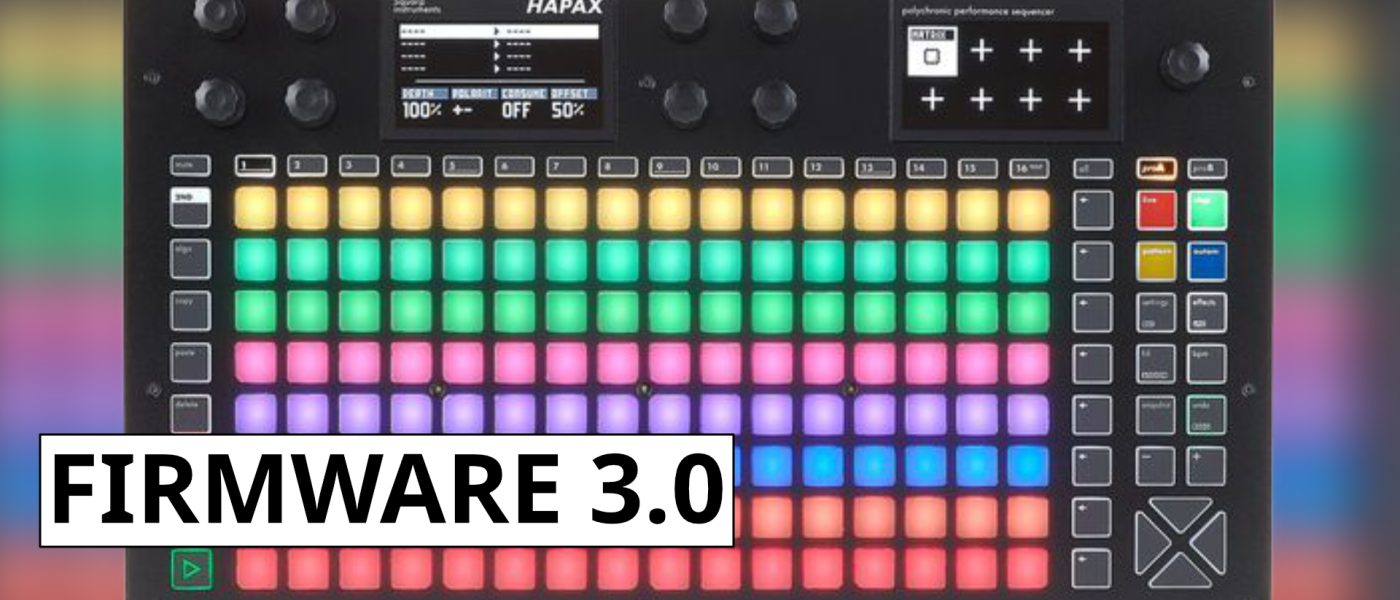
TL;DR: Squarp Instruments has released the Hapax 3.0 firmware, a significant update for its flagship hardware sequencer. The headline feature is a major expansion of MPE (MIDI Polyphonic Expression) capabilities, transforming the device into a more powerful hub for expressive, modern synthesis. This free update also brings a host of other workflow and feature refinements to the already deep sequencer.
- Major MPE upgrade: Per-note pitch bend, pressure, and slide CCs can now be recorded and edited independently for each note in a chord.
- New “MPE Mode” intelligently manages MIDI channels for compatible synths, simplifying setup for instruments like the Osmose or Seaboard.
- Enhanced modulation capabilities with new “Mod Tracks” that can apply LFOs or envelopes to any parameter across the entire project.
- Dual-project architecture allows for seamless switching between two complete, independent song setups, a boon for live performers.
- This is a free firmware update for all existing Hapax owners, significantly increasing the value of the hardware.
Reading time: 5 min
Want more synth news before your next coffee break? Join the Noxal newsletter — no spam, just gear worth knowing about.

The Hapax Refresher

For the uninitiated, the Squarp Hapax is not your grandmother’s step sequencer. Since its debut in 2022, it has carved out a reputation as a “thinking person’s” sequencer—a powerful, performance-oriented hardware brain designed for complex, evolving arrangements. Its core philosophy is built around a dual-project architecture. Imagine having two entirely separate, fully-featured song setups living inside one box. With a single button press, you can jump between them, making it a secret weapon for live performers who need to transition between movements, moods, or entire sets without missing a beat. It’s a 16-track powerhouse (8 internal, 8 MIDI) that can sequence your Eurorack, your desktop synths, and your drum machines with a level of polyphonic and probabilistic sophistication that often feels more like a DAL (Digital Audio Laboratory) than a simple sequencer.
What has always set Squarp apart, first with the Pyramid and now with the Hapax, is a commitment to deep, compositional tools wrapped in a tactile interface. We’re talking about generative features, intricate parameter locks, and a workflow that encourages exploration rather than just programming. It sits at a premium price point, asking you to invest not just money, but time to learn its ways. For those who do, it becomes the central nervous system of a studio. The release of firmware 3.0 isn’t a minor bug fix; it’s a substantial, no-cost expansion of that nervous system’s capabilities, proving Squarp views its hardware as a platform, not a product with an expiration date.
MPE: From Afterthought to Center Stage
Let’s cut to the chase: the MPE upgrade in Hapax 3.0 is the main event. Previously, the Hapax could handle MPE data—it could pass it through from a controller like a ROLI Seaboard to a compatible synth. But with 3.0, it becomes an active participant in the MPE conversation. The most significant change is the ability to record, edit, and visualize per-note expression data directly on the Hapax’s beautiful screen. Each note in a chord now has its own independent stream of pitch bend, pressure (aftertouch), and slide (timbre) control change data. You can draw in nuanced pitch glides for a single voice in a pad, or program pressure changes that affect only the top note of a melody. This transforms the sequencer from a mere note-and-gate recorder into a true expression capture device.
Complementing this is the new “MPE Mode.” This isn’t just a checkbox; it’s an intelligent channel management system. When enabled, it automatically assigns each note you play to a unique MIDI channel (2-16), reserving channel 1 for global messages, which is the MPE standard. This eliminates the tedious setup previously required to pair an MPE controller with an MPE synth through the Hapax. Plug in your Expressive E Osmose, enable MPE Mode on the corresponding track, and you’re essentially done. The Hapax now understands the language of modern, expressive controllers and is fluent enough to not just translate it, but to write poetry with it. For anyone invested in the MPE ecosystem, this update alone redefines the Hapax’s value proposition.
Beyond MPE: The 3.0 Feature Buffet
While MPE steals the headlines, dismissing 3.0 as a one-trick pony would be a grave mistake. Squarp has sprinkled quality-of-life and power-user enhancements throughout the system. A standout addition is the introduction of “Mod Tracks.” These are dedicated modulation sources—LFOs and envelopes—that can be assigned to modulate virtually any parameter across your entire project. Want an LFO to slowly sweep the filter cutoff on your Moog, the resonance on your SH-4d, and the mix level on your delay pedal, all in sync? Mod Tracks make that kind of large-scale, cohesive movement trivially easy to set up, adding a new layer of living, breathing automation to your sequences.
The update also brings welcome refinements to the user experience. There are new zoom levels for the piano roll, making detailed note editing less of an eye-strain. The arpeggiator has gained new modes and directions. Project management and file handling have been streamlined. It’s the classic Squarp move: they don’t just add a flashy feature; they go back and sand down the rough edges, deepen the existing tools, and make the overall experience more cohesive. Each iteration feels like the device is maturing, becoming more intuitive and capable without losing the depth that attracted its user base in the first place.
Who Is This For (And Why It Matters)
So, who should care? First and foremost, existing Hapax owners are the immediate winners. This is a substantial free upgrade that materially improves their instrument. It’s a gesture of goodwill and long-term support that is still regrettably rare in the hardware world. For them, it’s like Christmas morning—new toys to play with that fundamentally change how they can interact with their most expressive gear.
For those on the fence about purchasing a Hapax, firmware 3.0 significantly tilts the scales. If you are a composer or performer deeply invested in MPE controllers and synthesizers, the Hapax has just become the most powerful dedicated hardware sequencer for your workflow. Its main competitors either lack deep MPE integration or don’t offer the same level of live-oriented, dual-project flexibility. Furthermore, for the modular or hardware-centric musician who craves complex, generative, and evolving arrangements but wants to stay away from the computer, the Hapax, especially with these new modulation tools, is arguably in a class of its own. It’s a statement that powerful, computer-level sequencing and expression editing don’t require a mouse and a screen full of windows.
In a market where companies often chase the next shiny new product, Squarp’s dedication to deepening the capabilities of existing hardware through firmware is commendable. The Hapax 3.0 update isn’t just a list of new features; it’s a strategic move that solidifies the device’s position as a forward-thinking, professional sequencer platform. It acknowledges where electronic music technology is heading—towards greater nuance and expression—and ensures the Hapax is not just along for the ride, but helping to steer.
Frequently Asked Questions
Is the Hapax 3.0 update free?
Yes. This is a completely free firmware update for all existing owners of the Squarp Instruments Hapax sequencer. You can download it directly from Squarp’s official website.
Do I need an MPE synth to benefit from this update?
Not exclusively. While the deep MPE editing is specifically for MPE data, many of the other features—like the new Mod Tracks, arpeggiator improvements, and UI refinements—benefit all users, regardless of whether they own an MPE instrument. The MPE Mode is only relevant if you’re using an MPE controller and/or synth.
How does the dual-project feature work in a live context?
Each “project” is a completely self-contained set of 16 tracks, patterns, scenes, and settings. In a live setting, you can have one project loaded and playing. With a single button press, you can instantly switch to the second project, which will begin according to your launch settings (e.g., immediately, on the next bar). This allows for seamless transitions between different songs or sections of a performance without any loading time or interruption.
Now, if you’ll excuse me, I need to pour a fresh cup and spend the next several hours trying to make my monosynth cry with per-note pitch bends. The coffee will get cold, but the sequences will be weeping.