
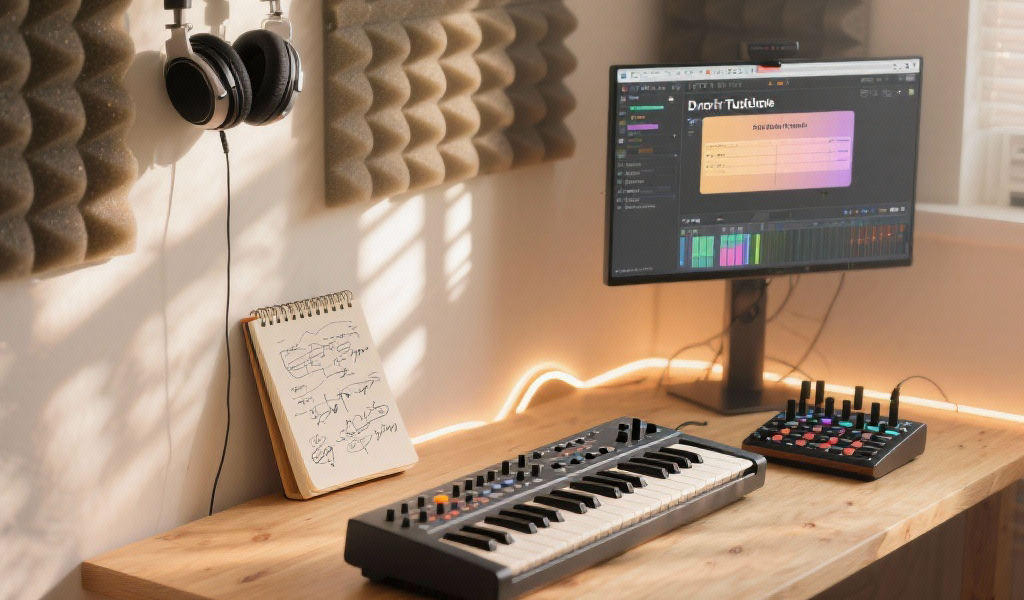
At Noxal, we delve into the world of synthesizers to enhance your electronic music production skills. Our detailed synth usage tutorial covers essentials from crafting punchy basslines to designing lush pads. Engage with practical steps that encourage exploration and experimentation. Let’s unlock the art of sound design together!
- Learn the fundamental components of synthesizers to enhance sound design skills.
- Follow step-by-step tutorials for creating basslines, pads, leads, and arpeggios.
- Discover essential tips for effective and dynamic synth usage in your productions.
Estimated Reading Time: 8 minutes
Join our newsletter to stay updated with the latest tips and techniques in music production!
Table of Contents
- The Foundation: Understanding Your Synth’s DNA
- Tutorial 1: Crafting a Punchy Bassline – The Groove Foundation
- Tutorial 2: Designing an Ethereal Pad – The Ambient Wash
- Tutorial 3: Sculpting a Cutting Lead Synth – The Melodic Statement
- Tutorial 4: Unleashing the Arpeggiator – Rhythmic Sequences
- Noxal’s Perspective: The Art of Sound Design
- Practical Takeaways for Your DAW Tutorials & Workflow Tips
- FAQ Section
The Foundation: Understanding Your Synth’s DNA
Before we jump into specific sounds, let’s quickly touch upon the synthesizer basics. Whether you’re using a complex modular rig or a simple plugin, most synthesizers share a common architecture:
- Oscillators: The sound generators that produce the raw waveforms (sine, saw, square, triangle, noise) that are the starting point of your sound.
- Filter: Shapes the timbre of your sound by removing or emphasizing certain frequencies. Types include Low-Pass, High-Pass, and Band-Pass.
- Amplifier (VCA): Controls the overall volume of your sound.
- Envelopes (ADSR): Attack, Decay, Sustain, Release – shapes how your sound evolves over time.
- LFOs (Low-Frequency Oscillators): Used to modulate other parameters to create rhythmic or evolving effects.
- Effects: Add polish and space, enhancing your sound with Reverb, Delay, etc.
Studio Tip: Don’t try to grasp everything at once. Focus on understanding how one parameter (e.g., the filter cutoff) affects the sound, then move on.
Tutorial 1: Crafting a Punchy Bassline – The Groove Foundation
A solid bassline is the backbone of countless electronic music production tracks. It needs to be clear, powerful, and sit perfectly in the mix.
Goal: Create a foundational, punchy synth bass sound.
Preparation:
- Open your favorite synth plugin or hardware.
- Initialize the patch (start from a basic saw or square wave).
- Create a simple MIDI clip in your DAW – perhaps just a quarter-note pattern on C1 or C2.
Let’s Get Hands-On:
Step 1: The Oscillator – Raw Power
- Select a Waveform: Start with a single Saw wave or a Square wave. For punch, these are often preferred.
- Octave: Set your oscillator to a lower octave, like -1 or -2.
Step 2: The Amplifier Envelope (ADSR) – Shaping the Attack
- Attack: Set to 0ms.
- Decay: Set to a short to medium value (e.g., 100-300ms).
- Sustain: Set to medium to high (e.g., 70-100%).
- Release: Set to short (e.g., 50-150ms).
Step 3: The Filter – Taming the Treble, Adding Character
- Filter Type: Select a Low-Pass Filter (LPF).
- Cutoff: Start with the cutoff fairly low (e.g., 100-300 Hz).
- Resonance: Add a small amount of resonance (e.g., 5-20%).
Step 4: Drive/Saturation (Optional) – Adding Grit
Add a small amount of drive or saturation for thickness.
Step 5: Refine in Context
Bring in your kick drum. How does the bass interact with it?
Studio Tip: Consider using sidechain compression on the bass, triggered by the kick drum.
Tutorial 2: Designing an Ethereal Pad – The Ambient Wash
Pads provide harmony, emotional depth, and a sense of space. They invite listeners to get lost in the music.
Goal: Create a lush, evolving, ambient pad sound.
Preparation:
- Initialize your synth.
- Create a sustained MIDI chord (e.g., C major triad).
Let’s Get Hands-On:
Step 1: Multiple Oscillators – Building Richness
- Waveforms: Use two or three oscillators, starting with Saw or Pulse waves.
- Detuning: Slightly detune the oscillators from each other.
Step 2: The Amplifier Envelope (ADSR) – Slow & Sustained
- Attack: Set to slow (e.g., 1-3 seconds).
- Decay: Set to long (e.g., 2-5 seconds).
- Sustain: Set to high (e.g., 80-100%).
- Release: Set to long (e.g., 2-5 seconds or more).
Step 3: The Filter – Gentle Shaping & Movement
- Filter Type: A Low-Pass Filter is best.
- LFO Modulation: Assign an LFO to modulate the filter cutoff gently.
Step 4: Effects – Creating Space
- Reverb: Add a large, long-decaying reverb.
- Delay: Use a slow, synchronized delay.
Step 5: Refine & Automate
Consider using automation to make the pad interesting.
Tutorial 3: Sculpting a Cutting Lead Synth – The Melodic Statement
A memorable melody often comes from a powerful lead synth, creating the identity of your track.
Goal: Create a strong, clear, and expressive melodic lead sound.
Preparation:
- Initialize your synth.
- Create a short, catchy MIDI melody or riff.
Let’s Get Hands-On:
Step 1: The Oscillator – The Core Voice
- Waveform: Start with a Saw wave or a Pulse wave.
- Octave: Set to a higher octave, usually +1 or +2.
Step 2: The Amplifier Envelope (ADSR) – Articulation and Punch
- Attack: Set to short to medium (10-100ms).
- Decay: Set to medium (200-500ms).
- Sustain: Adjust to taste.
- Release: Set to medium (100-300ms).
Step 3: The Filter – Definition and Expressiveness
- Filter Type: A Low-Pass or Band-Pass Filter.
- Cutoff: Start fairly open.
- Resonance: Add a medium amount of resonance.
- Envelope Modulation: Assign a filter envelope to modulate cutoff.
Step 4: LFOs & Portamento – Movement and Flow
- Vibrato (Pitch LFO): Assign a slow LFO with a small amount.
- Portamento/Glide: Adjust the glide time.
Step 5: Effects – Polish and Presence
- Delay: Use a synchronized delay.
- Reverb: Apply a medium-sized reverb.
Tutorial 4: Unleashing the Arpeggiator – Rhythmic Sequences
The arpeggiator generates rhythmic sequences from held chords, adding movement and complexity.
Goal: Create a rhythmic, evolving arpeggiated sequence.
Preparation:
- Initialize your synth with an arpeggiator.
- Create a simple sustained MIDI chord.
Let’s Get Hands-On:
Step 1: Basic Sound – The Pluck or Staccato
- Oscillator: Start with a Saw or Pulse wave.
- Amplifier Envelope (ADSR): Set a very short decay and low sustain.
Step 2: Engage the Arpeggiator – The Rhythm Machine
- Activate Arpeggiator: Turn on your synth’s arpeggiator.
- Mode: Experiment with Up, Down, Up/Down, Random.
Step 3: Filter & Modulation – Adding Character
- Filter: Use a Low-Pass Filter.
- Envelope Modulation: Assign a short filter envelope.
Step 4: Effects – Space and Sparkle
- Delay: Use a synchronized delay.
- Reverb: Add a small to medium reverb.
Step 5: Experiment & Record
Change the MIDI chord you’re holding and record the arpeggiated MIDI output.
Noxal’s Perspective: The Art of Sound Design
These guided tutorials are springboards to understanding the tools that empower you to sculpt unique sounds. This is the heart of sound design – a journey we encourage every music producer and synth enthusiast to embark on.
Practical Takeaways for Your DAW Tutorials & Workflow Tips
- Start Simple: Build from basic waveforms.
- Listen Critically: Develop your ear to understand sound nuances.
- Experiment Fearlessly: Embrace randomness in parameter settings.
- Save Your Patches: Create a library of custom sounds.
- Context is King: Always tweak sounds within the full mix.
FAQ Section
What synth should I start with? Choose any synth that you feel comfortable with, whether it’s a VST or hardware. Popular options include Serum, Massive, and Sylenth1.
How do I create unique sounds? Experiment with different parameters, and use modulation creatively to make your sounds evolve.
Can I use these techniques in any genre of music? Absolutely! These foundational techniques can be applied across various music genres.
And remember, whether you’re hitting the right notes or sending it through a synth-looping blender, synth programming is really just a continuous learning process. So if all else fails, just twist a few knobs and pretend you’re in a masterclass. Happy synth-tweaking!