
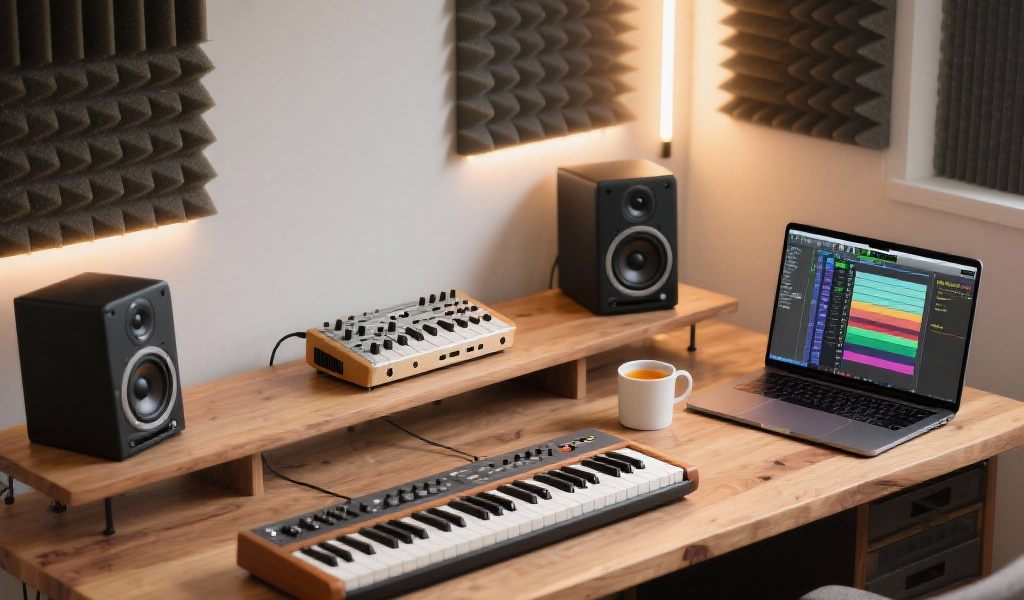
Summary: Unlock the potential of your synthesizers with this comprehensive step-by-step guide focusing on efficient usage in music production. From the foundational setup to advanced sound design techniques, this tutorial empowers both newcomers and seasoned producers to enhance their workflow and creativity. Join us as we explore synthesizer essentials and spark new sonic journeys.
Key Takeaways:
- Understand the core principles of synthesizers for efficient sound design.
- Learn practical steps for optimizing your setup and workflow.
- Explore different synthesis methods and their unique characteristics.
- Implement effective mixing techniques to enhance your synth sounds.
- Gain insight into helpful tips and tricks from experienced producers.
Estimated Reading Time: 12 minutes
Table of Contents
- Why Efficiency in Synth Usage Matters in Music Production
- The Foundation: Setting Up Your Synth Environment
- Sculpting Sound: The Core Elements of Synthesizers
- Integrating Your Synths: Performance, Sequencing, and Mixing
- Practical Takeaways and Actionable Advice
- The Noxal Perspective: Why This Matters to Us
- Join the Sonic Journey
- FAQ Section
Why Efficiency in Synth Usage Matters in Music Production
Before we dive into the nitty-gritty, let’s address the elephant in the room: why focus on efficiency? In the creative world, “efficiency” sometimes gets a bad rap, conjuring images of sterile, assembly-line production. But for us at Noxal, efficiency in the studio isn’t about rushing; it’s about minimizing friction, overcoming creative blocks, and ensuring your brilliant ideas don’t get lost in a tangle of wires or confusing menus.
A streamlined workflow means more time for creative exploration, more consistent sound design, and ultimately, more finished tracks. It means knowing which knob to grab to achieve that punchy bass, ethereal pad, or searing lead, without getting bogged down in endless trial and error. This tutorial will provide you with key technical details that, once understood, will transform your approach to synthesizers.
The Foundation: Setting Up Your Synth Environment
Every great journey begins with preparation. Before we even touch a virtual or physical knob, let’s ensure our creative space is ready.
Step 1: Your DAW and MIDI Configuration – The Communication Bridge
This might seem basic, but a well-configured DAW (Digital Audio Workstation) is your launchpad for all synth exploration.
- Choose Your Synth: Whether it’s a powerful software synth like Serum, Massive, Diva, or a hardware gem like a Moog, Prophet, or a Roland boutique, make sure it’s loaded or connected correctly.
- For software synths (VST, AU, AAX), simply create a new MIDI track in your DAW and instantiate your chosen plugin.
- For hardware synths, you’ll need to connect its MIDI output to your MIDI interface (or USB MIDI) and its audio output to your audio interface. Create a MIDI track to send MIDI data to the synth and an audio track to record its output.
- MIDI Input Setup: Ensure your MIDI controller (keyboard, pad controller) is recognized by your DAW and routed to your synth track. This is how you’ll play notes and control parameters.
- Technical Detail: Check your DAW’s preferences (e.g., Ableton Live’s Link/Tempo/MIDI, Logic Pro’s Control Surfaces) to confirm your controller is active for input and track remote control. This prevents frustrating “no sound” moments.
- Latency Check: For hardware users especially, monitor latency. Low latency ensures a responsive playing experience, crucial for capturing spontaneous performances. Adjust your audio buffer size if needed, aiming for a balance between performance and stability.
Noxal Insight: We often start a session by quickly saving an empty project template with our go-to synths already loaded on MIDI tracks, routed and ready. This small habit shaves minutes off every startup and keeps the creative momentum flowing. I remember countless times losing inspiration just because I couldn’t get a basic MIDI connection working. Don’t let that happen to you!
Sculpting Sound: The Core Elements of Synthesizers
Now that we’re set up, let’s dive into the core building blocks of nearly every synthesizer. Understanding these will empower you to craft virtually any sound you can imagine.
Step 2: Choosing Your Sonic Canvas – Synth Types and Their Roles
Not all synths are created equal, and understanding their underlying architecture can dramatically speed up your sound design process.
- Subtractive Synthesis: The most common type. Starts with a harmonically rich waveform and subtracts frequencies using a filter. Great for warm basses, classic leads, lush pads, and gritty textures. (Think Moog, Roland JX-3P, Arturia Pigments in subtractive mode).
- FM (Frequency Modulation) Synthesis: Creates complex, metallic, and often bell-like sounds by modulating one oscillator’s frequency with another. Famous for its digital, sometimes harsh, but incredibly unique timbres. (Think Yamaha DX7, Native Instruments FM8).
- Wavetable Synthesis: Uses “wavetables” – a collection of single-cycle waveforms arranged in a table – which can be swept through to create evolving, futuristic, and often aggressive sounds. (Think Xfer Serum, Waldorf Blofeld).
- Granular Synthesis: Breaks sounds into tiny “grains” that can be manipulated individually, leading to atmospheric pads, textures, and experimental soundscapes.
- Additive Synthesis: Builds sounds by combining multiple sine waves at different frequencies and amplitudes. Can create very precise, harmonic sounds but is often complex to program.
Technical Detail: Before even touching a knob, ask yourself: “What kind of sound do I need for this track?” If it’s a deep, rich bass, start with a subtractive synth. If it’s a shimmering, percussive bell, lean towards FM. This initial choice directs you towards the most efficient tool for the job.
The Engine Room – Oscillators and Waveforms (VCO/DCO)
Oscillators are the sound source. They generate the initial waveforms that will be sculpted into your final sound.
- Waveforms:
- Sine Wave: Pure, no harmonics. Great for sub-basses, pure tones.
- Triangle Wave: Soft, mellow, few harmonics. Often used for flute-like sounds or gentle pads.
- Sawtooth Wave: Bright, rich in harmonics. Ideal for leads, basses, and powerful pads.
- Square/Pulse Wave: Hollow, reedy sound, prominent odd harmonics. Great for basses and classic synth sounds (think Kraftwerk).
- Noise: White, pink, or brown noise. Used for percussive elements, sound effects, or adding grit/air to other waveforms.
- Key Controls:
- Pitch/Tune: Adjusts the note.
- Octave: Changes the octave range.
- Waveform Select: Choose your starting point.
- Mixer/Level: Blends multiple oscillators.
Technical Detail: Most complex sounds start with a simple combination of waveforms. For instance, a classic house bass often layers a saw wave with a sine wave an octave lower for added sub-harmonic weight. Experiment with detuning multiple oscillators slightly to add thickness and richness – a technique known as “chorusing” or “unison.”
The Sculptor – The Filter Section (VCF)
The filter is where you shape the timbre, or tone, of your sound by removing or emphasizing certain frequencies.
- Filter Types:
- Low-Pass Filter (LPF): Allows low frequencies to pass through, cutting off higher ones.
- High-Pass Filter (HPF): Allows high frequencies to pass through, cutting off lower ones.
- Band-Pass Filter (BPF): Allows a specific range of frequencies to pass through.
- Notch Filter: Cuts a specific frequency band.
- Key Controls:
- Cutoff Frequency: Determines the point at which frequencies are cut or boosted.
- Resonance (Q): Boosts frequencies right at the cutoff point.
- Envelope Amount: Controls how much the filter’s cutoff is modulated by a dedicated filter envelope.
Technical Detail: Think of the filter as an expressive tool. Want a dark, moody pad? Lower the LPF cutoff. Want a classic acid bassline? Crank the resonance on an LPF and sweep the cutoff.
The Life-Giver – Envelopes (ADSR) (VCA & VCF)
Envelopes dictate how a sound changes over time, specifically its amplitude (volume) and often its filter cutoff.
- Attack (A): How long it takes for the sound to reach its maximum volume after a note is played.
- Short Attack: Punchy basses, sharp leads.
- Long Attack: Soft pads, atmospheric textures.
- Decay (D): How long it takes for the sound to drop from its maximum volume to the sustain level.
- Sustain (S): The level at which the sound holds as long as the note is pressed.
- High Sustain: Sustained pads.
- Low/Zero Sustain: Plucked sounds.
- Release (R): How long it takes for the sound to fade out after the note is released.
- Short Release: Tight, staccato sounds.
- Long Release: Reverb-like tails.
Technical Detail: Every synth usually has at least two envelopes: one for the Amplifier (VCA) controlling volume, and one for the Filter (VCF) controlling cutoff. Mastering ADSR is critical for defining a sound’s character and fitting it into a mix.
The Movement Maker – LFOs and Modulation
Low-Frequency Oscillators (LFOs) create cyclic modulation, adding movement and dynamism without manual automation.
- LFO Destinations: Common destinations include:
- Pitch: Creates vibrato.
- Filter Cutoff: Creates rhythmic filter sweeps.
- Volume (Tremolo): Creates rhythmic volume changes.
- Key Controls:
- Rate/Speed: How fast the LFO cycles.
- Waveform: Sine, triangle, square, saw.
- Amount/Depth: How much the LFO affects its destination.
Technical Detail: LFOs are your secret weapon for making static sounds come alive. A subtle LFO on filter cutoff can make a pad breathe.
Integrating Your Synths: Performance, Sequencing, and Mixing
Once you’ve sculpted your sound, it’s time to bring it to life within your music.
Step 7: Getting Ideas Down – MIDI Performance and Sequencing
This is where you translate your musical ideas into playable synth parts.
- Playing It In: Record your MIDI performance directly using your controller. Don’t hesitate to make mistakes – quantize later if needed.
- Step Sequencing: Many hardware and software synths include built-in step sequencers or arpeggiators. These are fantastic for generating rhythmic patterns.
- Arpeggiators: Play the notes you hold down in a chosen pattern (up, down, up/down, random).
- Drawing MIDI: For precise control or complex patterns, draw your MIDI notes directly into your DAW’s piano roll.
Technical Detail: Don’t underestimate the power of a simple arpeggiator to spark ideas. Sometimes, just feeding a basic chord into an arpeggiator can lead to an entirely new track concept.
Step 8: Adding Depth and Space – Effects and Layering
Raw synth sounds are powerful, but effects and layering elevate them to another dimension.
- Common Synth Effects:
- Reverb: Adds space and ambience.
- Delay: Creates echoes and rhythmic repeats.
- Chorus/Flanger/Phaser: Adds thickness, movement, and swirls.
- Distortion/Saturation: Adds warmth, grit, and harmonic richness.
- EQ: Crucial for shaping frequency balance.
- Compression: Tames dynamics, adds punch, and sustains sounds.
- Layering: Combining multiple synth sounds creates a richer, more complex timbre.
- Example: Layer a pure sine wave for sub-bass, a distorted saw wave for body, and modulated square wave for top-end sizzle.
Technical Detail: Think of effects as extensions of your sound design. A simple pad can become an ethereal soundscape with the right reverb.
Step 9: The Final Polish – Mixing Your Synths
Even the best sound design can get lost in a muddy mix. Proper mixing techniques are vital for making your synths shine.
- EQ for Clarity:
- High-Pass Filters: Remove unwanted low-end rumble from pads and leads.
- Surgical Cuts: Find and reduce harsh frequencies.
- Gentle Boosts: Enhance desirable frequencies.
- Compression for Dynamics:
- Taming Peaks: Smooth out dynamic inconsistencies.
- Adding Punch: Make bass lines or synth stabs hit harder.
- Sustaining: Give pads and sustained sounds more body.
- Sidechain Compression: Duck the volume of a synth when another element plays, creating a rhythmic effect.
- Stereo Imaging: Use panning and stereo widening effects to give different synth elements their own space.
Technical Detail: Mixing is where the individual pieces of your synth puzzle come together. An efficient mixing process involves understanding the role of each synth in your track and processing it accordingly.
Practical Takeaways and Actionable Advice
This step-by-step synth usage tutorial in music production is meant to be an interactive exercise. We invite you to try these ideas in your own DAW right now!
- Start Simple: Pick one synthesis type (e.g., subtractive) and focus on its core components.
- Recreate Sounds: Listen to your favorite tracks and reverse-engineer the synth sounds.
- Practice Signal Flow: Mentally trace the path of the sound through your synth.
- Dedicate Time: Set aside specific studio time just for sound design.
- Save Your Patches: Build your own library of patches.
- Read the Manual: The manual often contains invaluable insights.
The Noxal Perspective: Why This Matters to Us
At Noxal, we believe that understanding your tools empowers your creativity. This tutorial, focusing on efficiency and key technical details, reflects our core philosophy: that a deeper knowledge of synthesizers isn’t about becoming a technician, but about becoming a more expressive artist. When you know how to quickly dial in that perfect bass or sculpt that atmospheric pad, your creative flow becomes uninterrupted.
Join the Sonic Journey
Mastering synth usage is an ongoing adventure, full of discovery and endless possibilities. We hope this comprehensive guide gives you a solid foundation and inspires you to experiment further.
What’s your favorite synth sound to design? What’s a trick you’ve learned that makes your workflow more efficient? Share your thoughts in the comments below!
If you enjoyed this deep dive, make sure to follow Noxal for more cutting-edge synth reviews, production tips, and explorations into the heart of electronic music culture. Dive into our archives for more synth-related content, and become a part of our growing community of musicians, producers, and gear lovers. Let’s make some noise!
FAQ Section
What is the best synthesizer for beginners?
If you’re just starting out, consider software synths like Serum or Massive. They offer a vast array of presets and user-friendly interfaces.
If you’re just starting out, consider software synths like Serum or Massive. They offer a vast array of presets and user-friendly interfaces.
How can I make my synth sound thicker?
Layer multiple oscillators and detune them slightly, or use unison mode in your synth to create a more substantial sound.
Layer multiple oscillators and detune them slightly, or use unison mode in your synth to create a more substantial sound.
What effects should I use on my synth sounds?
Common effects include reverb, delay, and chorus to add depth. Use EQ to carve out space in the mix and prevent frequencies from clashing.
Common effects include reverb, delay, and chorus to add depth. Use EQ to carve out space in the mix and prevent frequencies from clashing.
How do I avoid getting lost in my DAW?
Establish a consistent workflow and create templates that have your favorite synths and settings ready to go.
Establish a consistent workflow and create templates that have your favorite synths and settings ready to go.
Sounds simple, right? But just like trying to get your cat to play the triangle in your new synth track, things might get a bit chaotic—let’s be real, cats are not known for their enthusiasm in music production. So go ahead, embrace the chaos, and remember, even the best synth patches might need a little tweaking—just like that one friend who always shows up to the party uninvited!