
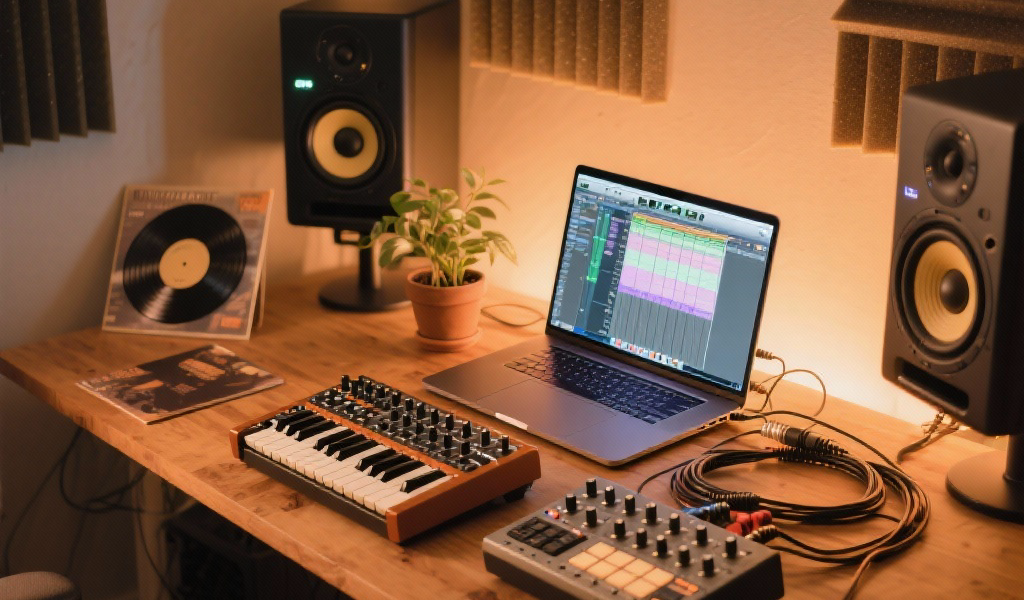
Brief Summary: Discover how to seamlessly integrate synthesizers with your digital audio workstation (DAW) to enrich your music production experience. From understanding MIDI and audio connections to exploring creative techniques, this guide provides insights that boost creativity and workflow in the modern studio setup.
Key Takeaways:
- Understanding MIDI and audio connections is crucial for synthesizer integration.
- A hybrid setup enhances creativity by combining hardware synths and software instruments.
- Utilizing techniques like re-amping and resampling can lead to unique sound design possibilities.
- Templates and MIDI mapping streamline both studio and live performances.
- A clean signal path and effective troubleshooting are key to maintaining optimal performance.
Estimated Reading Time: 8 minutes
Join our newsletter for more insights, tips, and the latest articles on music production!
Table of Contents
- The Heart of the Studio: Why Synthesizers Matter in Modern Production
- Building Bridges: Understanding Your Integration Options
- Hybrid Harmony: Software Synths and Virtual Instruments
- Boosting Creativity: Mixing Tools for Uncharted Sonic Territory
- Studio to Stage: Tips from Live Performance for Seamless Integration
- Advanced Strategies & Troubleshooting: Optimizing Your Synth-DAW Ecosystem
- Why This Matters to Us at Noxal
- Unleash Your Sonic Potential
- FAQ
- Farewell Note
The Heart of the Studio: Why Synthesizers Matter in Modern Production
Before we dive into the ‘how,’ let’s reaffirm the ‘why.’ Why do we, as passionate electronic music creators, continue to invest in and cherish synthesizers, especially hardware synths, when our DAWs are packed with an ever-growing array of virtual instruments?
The answer, for many of us, lies in the experience, the character, and the tactile nature of these instruments. I’ve always believed that a great synthesizer is more than just a sound generator; it’s a partner in creation, an extension of your musical intent. Whether it’s the unmistakable analog warmth of a vintage Roland Juno-60 or the experimental depths of a modular system, each synth brings its own personality to the table.
From the pioneering sounds of Kraftwerk laying the groundwork for electronic music with their monolithic systems to the iconic basslines of Daft Punk, synthesizers have shaped genres and defined eras. They allow for unparalleled capabilities in sound design, whether sculpting evolving pads or crafting punchy basslines.
Building Bridges: Understanding Your Integration Options
Integrating synthesizers with your DAW involves two critical components: getting MIDI data to your synth and bringing audio back into your DAW. Here’s a breakdown:
The Foundation: MIDI and Audio – Your Studio’s Lifelines
A solid understanding of MIDI and audio connections forms the cornerstone of any DAW integration strategy for hardware synths.
1. MIDI (Musical Instrument Digital Interface): The Language of Communication
- What it is: MIDI transmits performance data, not audio.
-
How to connect:
- USB MIDI: Modern synths often connect directly via USB.
- Dedicated MIDI Interface: For synths using 5-pin DIN MIDI ports, this is necessary.
- MIDI Routing: Create a MIDI track in your DAW routed to your instrument.
2. Audio Interface: Bringing the Sound In
- What it is: Your audio interface converts analog signals from your synth into digital data for your DAW.
-
How to connect:
- Outputs to Inputs: Connect synth outputs to your audio interface inputs.
- Input Monitoring: Create a corresponding audio track in your DAW.
Hybrid Harmony: Software Synths and Virtual Instruments
While this post emphasizes hardware, the role of virtual instruments (VIs) within your DAW is equally significant.
- Virtual Instruments: These software emulations run directly within your DAW and provide flexibility.
- Integrating VIs: Load onto a MIDI track to trigger via your keyboard controller.
- The Power of Hybrid: Use hardware for character while leveraging VIs for convenience and efficiency.
Boosting Creativity: Mixing Tools for Uncharted Sonic Territory
The true potential of DAW integration isn’t just about sound input; it’s about creatively manipulating that sound. Here are effective techniques:
1. Re-amping and External FX Processing:
- Record a dry synth track into your DAW, then route it through an external effect.
- Record the processed signal back into another track in your DAW.
2. Resampling and Creative Audio Manipulation:
- Record a synth performance and load it into a sampler or granular synthesis plugin.
- Experiment with pitch shifting and reversing for unique textures.
3. Controllerism and Expressive Performance:
- Use MIDI controllers to manipulate parameters across both hardware and virtual instruments.
- Infuse a performative element into your music by controlling automation live.
Studio to Stage: Tips from Live Performance for Seamless Integration
Learning from live setups can enhance your studio workflow considerably. Follow these principles:
1. Templates Are Your Friends:
- Create a DAW template with pre-configured tracks and FX chains for quick setup.
- Build live templates for consistent performance settings.
2. MIDI Mapping and Control Surfaces:
- Map essential parameters for quick adjustments during sessions.
- Improve expressiveness in performance through tactile controllers.
3. Clock Synchronization is Key:
- Ensure your DAW is the master clock to keep sequencers in sync.
- Tight clock settings contribute to a cohesive sound.
Advanced Strategies & Troubleshooting: Optimizing Your Synth-DAW Ecosystem
After gaining proficiency, refine your setup with advanced techniques and troubleshooting methods:
1. External Instrument Racks:
- Use dedicated external instrument devices/plugins in your DAW for better organization.
- They automate latency compensation and simplify your workflow.
2. Audio Routing and Submixing:
- Run multiple synths through an external mixer to save inputs and add character.
- Record a stereo submix for efficiency.
3. Dealing with Noise and Ground Loops:
- Consider balanced cables and power conditioners to combat noise.
- Isolation devices can help eliminate persistent hums.
4. Beyond the Obvious: Creative Automation:
- Automate diverse parameters to enhance movement in your tracks.
- This adds life and dynamism to your electronic productions.
Why This Matters to Us at Noxal
At Noxal, we aim to empower musicians and synth enthusiasts. Understanding the integration of synths with DAWs is more than just a technical skill; it’s an art form. We want to foster a community that values knowledge, inspires experimentation, and celebrates creative potential.
Unleash Your Sonic Potential
Integrating synths with DAWs is an ongoing learning experience. By mastering MIDI and audio basics and employing a hybrid setup, you can vastly improve your studio creativity. Remember, the journey isn’t only about technical connections—it’s about connecting ideas and exploring the realms of sound.
FAQ
Farewell Note
As we bid you adieu, remember: connecting your synths is anything but a *static* process. So plug in, play, and if you hear a *hum*, just call it the music of the spheres—or your ground loop! Happy patching!